
Date: 2026-03-05
If you're designing circuit boards, you've probably heard of Altium. Maybe you're using it already. Maybe you're considering switching to it. Or maybe you're just trying to figure out what all the fuss is about.
Here's the thing about PCB design software: it's not just about drawing lines and placing pads anymore. Modern boards are too complex for that. When you're dealing with high-speed signals, dense layouts, and tight deadlines, the tools you use actually matter.
Let's talk about what Altium software actually does, why so many engineers use it, and whether it makes sense for your workflow.
Altium Designer is a PCB design software that covers the whole process—schematic capture, board layout, manufacturing file generation, all in one place . Instead of jumping between different tools for different tasks, you stay in the same environment from start to finish.
It's been around since 1985, so it's not some new player trying to figure things out . Over the years, it's become one of the most widely used professional PCB design tools out there. Reviews consistently praise its comprehensive feature set and professional-grade capabilities, though users do mention the learning curve and cost as potential barriers .
Some people call it the "gold standard" in PCB design software, particularly for professional settings . That might sound like marketing talk, but there's a reason it's used everywhere from startups to Fortune 500 companies.
The biggest selling point is probably the unified environment. With some tools, you do schematics in one program, layout in another, and documentation somewhere else. Files get exported and imported, things get lost, versions get confused.
Altium keeps everything in one project. Schematics, PCB files, BOMs, output files—they're all connected. When you change something in the schematic, it updates in the PCB. When you select components, you see real-time pricing and availability from suppliers . It's all integrated.
Modern boards need rules. Trace widths, clearances, impedance targets, length matching—you can't just eyeball this stuff.
Altium lets you define constraints upfront, and then the software helps you stick to them while you're routing . Instead of finishing a layout and then discovering violations, you see them in real time. The interactive routing tools push, hug, and walkaround to keep you within spec .
For high-speed designs, you can define impedance profiles, set up differential pairs, and use xSignals to target true end-to-end behavior . It's not just about getting traces connected—it's about getting them connected right.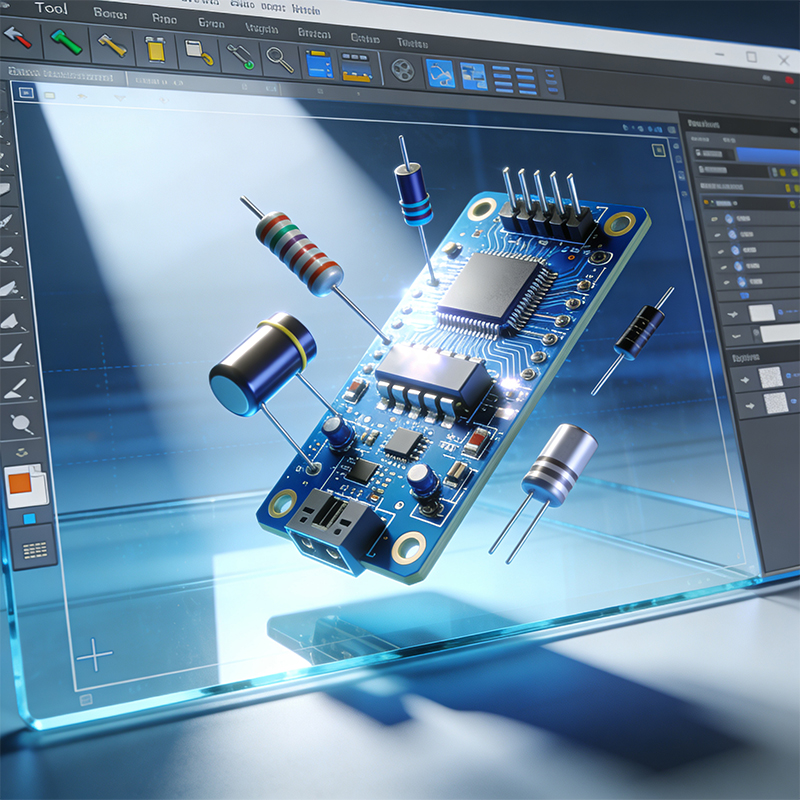
Finding the right parts is half the battle. Altium's component system pulls in live data from suppliers—pricing, availability, lifecycle status—right into the BOM . You can spot obsolete parts before you design them in, compare alternates, and make sourcing decisions earlier rather than later.
The library creation process is also reasonably straightforward. When you need to create custom footprints, Altium gives you the tools to do it accurately .
Boards don't live in isolation. They go into enclosures, connect to mechanical parts, have height constraints and keep-out areas.
Altium's CoDesigner lets electrical and mechanical teams work together without the usual back-and-forth file exports . Mechanical engineers can define board shapes and mounting features in their tools and push them to ECAD. Electrical changes go back the other way. It's controlled, tracked, and way less error-prone than sending screenshots.
If your product spans multiple PCBs—and a lot of them do these days—Altium handles that too. You can design the whole system, define harness wiring, validate connectivity across boards, and assemble everything in 3D to check mechanical fit . Issues that used to hide until prototype assembly get caught earlier.
Let's be honest about the downsides.
Altium is not cheap. It's a serious investment, especially compared to open-source options or entry-level tools . For hobbyists or very small startups, that can be prohibitive.
It also takes time to learn. The interface is powerful, but that power comes with complexity . You won't be productive on day one. It takes weeks or months to really get comfortable with the workflow.
That said, if you're doing professional design work regularly, the investment usually pays for itself in time saved and mistakes avoided.
A few common alternatives:
KiCad is open-source and free. It's come a long way in recent years and handles many designs well. The trade-off is that you trade cost for more manual setup and less integrated workflow .
Eagle used to be a popular entry-level option, but it's reaching end of life in mid-2026 . If you're still on Eagle, you'll need to migrate eventually.
Allegro is the other big player at the professional level. It's even more powerful for ultra-complex, high-speed designs, but it's also more expensive and has a steeper learning curve . For most companies, Altium hits the sweet spot between capability and usability.
Just to give you a sense of the workflow:
You start with schematics. Place components, draw connections, define hierarchy if the design is complex . Then you move to PCB layout—import everything, place parts, route traces, add copper pours.
Along the way, you're running design rule checks to catch mistakes . When everything's done, you generate Gerbers, drill files, and assembly drawings straight from the software. No jumping to separate tools, no manual export steps to forget.
And because everything's connected, last-minute changes don't break your outputs. Update the schematic, regenerate the manufacturing package, and you're done.
If you're considering Altium for your company, here's some practical advice:
Start with training. Don't just hand people the software and expect them to figure it out. The learning curve is real, and bad habits formed early are hard to break.
Use the collaboration features. Altium 365 lets teams work together, comment on designs, and track changes . If you've got multiple engineers on the same project, this matters.
Set up standards early. Define your libraries, templates, and design rules before you start your first real project. It saves headaches down the road.
Talk to your manufacturer. Not every PCB fab accepts every output format. Check with your board house about what they need before you generate files.
Altium Designer is a serious tool for serious PCB work. It's not the cheapest option, and it's not the easiest to learn. But if you're designing complex boards professionally, it gives you the capabilities you need to do it right.
The unified environment, rule-driven design, and integrated supply chain data all work together to reduce errors and speed up development. For companies where PCB design is a core competency, it's a solid choice.
Need help turning your Altium designs into finished boards? At Kaboer, we've been manufacturing custom PCBs since 2009—flexible circuits, rigid-flex, HDI boards, and full PCBA. Send us your Gerber files or requirements, and we'll get back to you with a free quote within 2 hours. Better yet, come visit our factory in Shenzhen and see how we work.

Kaboer manufacturing PCBs since 2009. Professional technology and high-precision Printed Circuit Boards involved in Medical, IOT, UAV, Aviation, Automotive, Aerospace, Industrial Control, Artificial Intelligence, Consumer Electronics etc..


 English



 Wechat
 +86 13670210335
 +86 13670210335
 E-mail