
Date: 2026-04-23
Imagine you’ve just spent three weeks designing the most complex high-speed circuit board of your career. It looks beautiful on your screen. But how do you explain those pretty lines and dots to a high-speed laser drill or a copper-etching machine in a factory thousands of miles away?
You don't send the design file from your CAD software. You send Gerber files.
In the simplest terms, a Gerber file is an open ASCII vector format that describes the layers of a printed circuit board. Think of it as the "PDF" of the electronics world. No matter which design software you use (Altium, Eagle, KiCad), they all export Gerbers because that’s the only language PCB manufacturing machines truly speak.
It’s a 2D image data format. Every file tells the machine where to put copper, where to leave the board bare, and where to drill a hole. Without it, your design is just a digital dream that can't be touched.
When you export your design, you usually end up with a folder full of files with weird extensions like .GTL, .GBL, or .GKO. Each file represents one specific "slice" of your board:
Copper Layers (Top & Bottom): These show the actual "roads" for your electricity.
Solder Mask: This tells us where to put that protective green (or blue/black) coating.
Silkscreen: The labels, logos, and component outlines (the "street signs" of the board).
Drill File: This isn't technically a Gerber, but it's the partner file that tells the machines where to punch holes.
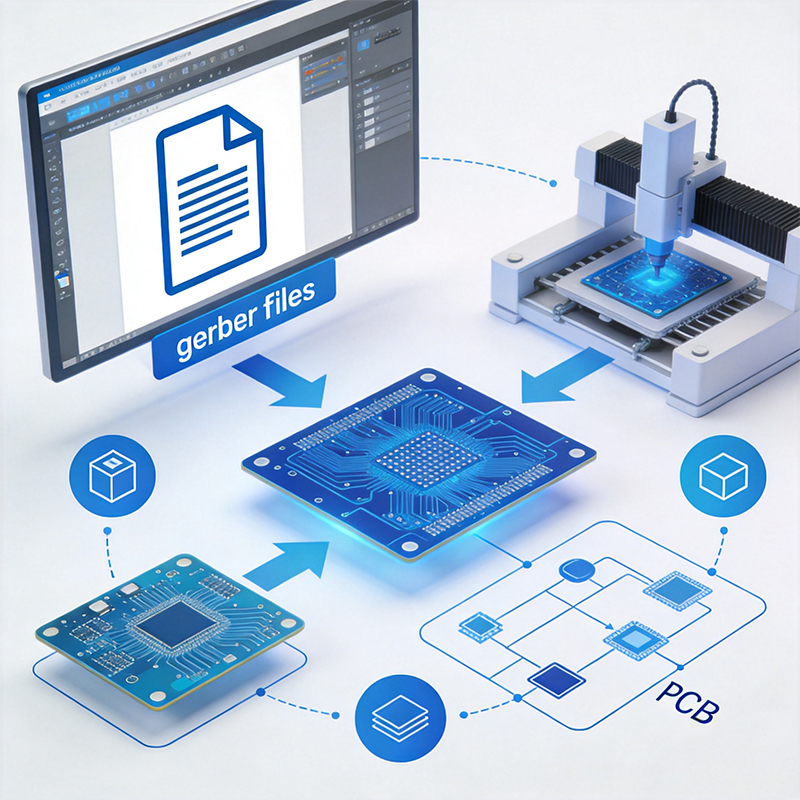
In 2026, most modern factories prefer RS-274X (Extended Gerber) or the newer Gerber X2.
RS-274X: The old reliable. It includes everything in one file per layer.
Gerber X2: The "smart" version. It includes metadata, telling the manufacturer, "Hey, this file is the Top Copper layer," instead of making us guess based on the file name.
If you are working on a high-density HDI board, we highly recommend X2—it reduces the risk of human error during the CAM (Computer-Aided Manufacturing) stage.
At our factory, we specialize in Custom Flex and Rigid-Flex PCBs. Designing Gerbers for these is a different beast compared to a standard green board. For a Flex PCB, your Gerber files need to account for "Stiffeners" and "Coverlays." If your files don't clearly define where the board needs to be stiff and where it needs to bend, the final product won't fit your enclosure.
Similarly, for HDI high-frequency boards, the precision of the Gerber data for microvias is critical. A tiny misalignment in your file can lead to a broken connection in a 12-layer stack-up.
We see thousands of Gerber sets every month, and these are the top three mistakes that will trigger an "on-hold" email from our engineers:
Missing Drill Files: You sent the layers, but the machine doesn't know where to drill!
Ambiguous Board Outlines: If the "Keep-out" layer is missing, we don't know the exact size or shape to cut your board.
Mismatched Layers: The top copper doesn't line up with the solder mask. This usually happens when different layers are exported with different offset settings.
A set of Gerber files is more than just data; it's a contract between the designer and the manufacturer. When the files are clean, the production is fast, and the PCBA (Assembly) goes smoothly.
Ready to turn your Gerbers into reality? Whether you have a simple 2-layer prototype or a complex high-speed HDI design, [Send us an inquiry today] for a free DFM check. Let’s make sure your files are ready for the assembly line!

Kaboer manufacturing PCBs since 2009. Professional technology and high-precision Printed Circuit Boards involved in Medical, IOT, UAV, Aviation, Automotive, Aerospace, Industrial Control, Artificial Intelligence, Consumer Electronics etc..


 English



 Wechat
 +86 13670210335
 +86 13670210335
 E-mail