
Date: 2026-06-01
Circuit boards are the brains behind almost every electronic device – your phone, your laptop, your TV remote, even your coffee maker. And when they stop working, it’s tempting to just throw them away. But many common problems can be fixed with a little patience, a few basic tools, and some know‑how.
This guide will walk you through the most common circuit board failures, how to diagnose them, and how to fix them yourself – no engineering degree required.
What Does It Mean to “Fix” a PCB Board?
A PCB (printed circuit board) is a flat board with copper traces (tiny lines) that carry electricity between components. When a board fails, it’s usually because something is physically broken or electrically disconnected. Fixing it means finding that break and repairing it – often by re‑soldering a loose connection, bridging a broken trace, or replacing a damaged component.
Not every board is worth fixing. Cheap disposable electronics (like a $5 calculator) are better recycled. But for expensive or hard‑to‑replace boards – a car’s engine computer, a vintage synthesizer, a medical device – a repair can save you hundreds of dollars.
Common PCB Problems You Can Fix
Here are the failures that happen most often and are usually repairable:
1. Broken or cracked copper trace – The thin copper line that connects two points gets scratched, cut, or corroded. Electricity can’t pass through the gap.
2. Lifted or missing solder pad – The small copper ring around a hole (or on the surface) pulls away from the board.
3. Cold solder joint – A solder connection that looks dull, grainy, or cracked. It may work intermittently or not at all.
4. Burnt or bulging capacitor – Electrolytic capacitors can dry out, bulge, or leak. They’re easy to spot and replace.
5. Loose connector – A USB port, audio jack, or power connector that wiggles and causes intermittent connection.
6. Bridge between two adjacent pads – Too much solder creates a “bridge” that shorts two pins.
Tools You’ll Need
You don’t need a professional lab. Most repairs can be done with:
Soldering iron – Fine tip (1‑2mm). Adjustable temperature is nice but not required.
Solder – Thin rosin‑core solder (0.5‑0.8mm).
Flux – Makes solder flow smoothly and stick where it should.
Multimeter – For testing continuity (whether electricity can flow from point A to point B).
Magnifying glass or jeweler’s loupe – To see tiny cracks and pads.
Isopropyl alcohol – For cleaning.
Utility knife or fiberglass pen – To scrape off solder mask (the green coating).
Small wire (e.g., wire wrap wire or a strand from a multi‑strand cable) – For bridging broken traces.
Tweezers – For holding small parts.
Desoldering pump or wick – To remove old solder.
How to Diagnose a PCB Problem
Before you try to fix anything, you need to know what’s broken. Here’s a simple process:
Visual inspection – Look for burnt spots, bulging capacitors, cracked solder joints, or obvious damage. Use a magnifier.
Smell test – A burnt, acrid smell often points to a fried component (like a chip or a resistor).
Power on test – If safe, power the board and feel for hot components. Anything that’s too hot to touch (when it shouldn’t be) may be shorted.
Continuity test – Set your multimeter to continuity mode (the beep setting). Touch the probes to two points that should be connected. If it doesn’t beep, there’s a break.
Step‑by‑Step Fixes for Common Problems
How to Fix a Broken Trace
Find the break – Use a magnifier and follow the trace from end to end. Or use continuity testing between two known good points.
Prepare the area – Scrape off the green solder mask about 2‑3mm on each side of the break to expose shiny copper.
Apply flux – A small drop on both exposed pads.
Solder a jumper wire – Cut a short piece of thin wire (use a single strand from a multi‑strand cable). Tin the wire ends and the exposed copper. Then solder the wire across the gap. The wire now acts as a new bridge.
Clean and test – Wipe away excess flux with alcohol. Test continuity across the repair.
How to Fix a Lifted Solder Pad
A lifted pad means the copper pad has peeled off the board. This is more serious.
Find the trace that used to connect to the pad – Scrape the solder mask off that trace about 2‑3mm back.
Tin the exposed trace – Put a little solder on it.
Use a jumper wire – Solder one end of a thin wire to the tinned trace, and the other end to the component lead (or the point where the pad used to be).
Glue the component if needed – A tiny drop of epoxy or super glue can hold the component in place so the wire isn’t stressed.
How to Fix a Cold Solder Joint
Add flux to the joint.
Re‑heat the joint with your soldering iron until the solder flows and becomes shiny.
If it doesn’t improve, remove the old solder with a desoldering pump or wick, then apply fresh solder.
How to Replace a Burnt Capacitor
Find the capacitor – It’s usually a small cylinder with two leads. Note the voltage and capacitance (e.g., 1000µF, 25V). Replace with the same or higher voltage rating (same capacitance).
Desolder the old one – Heat one lead, pull gently, repeat on the other side. Or use a desoldering pump.
Clean the holes – If solder remains, use desoldering wick.
Insert the new capacitor – Match polarity (the negative side is marked with a stripe on the capacitor body). Solder both leads.
Trim excess leads.
How to Fix a Solder Bridge (Short)
Apply flux to the bridge.
Touch the bridge with a clean soldering iron – Surface tension will often pull the excess solder onto the iron tip.
If that doesn’t work, use desoldering wick: place the wick over the bridge, heat it with the iron, and the excess solder will soak into the wick.
What If You Can’t See the Problem?
Some failures are hidden – a broken trace under a chip, or a crack inside a via (the little plated holes). For those:
Bypass the entire suspect area – Run a wire from a known good point before the break to a known good point after the break.
Test systematically – Use the multimeter to check continuity between every pin of a chip and where it should connect. If one doesn’t beep, run a jumper wire directly between those two points.
When to Stop Trying to Fix a PCB
The board is water‑damaged or badly corroded – The damage is often widespread, and more problems will appear later.
The board has multiple layers with internal damage – You can’t reach inner layers. A broken trace in the middle of a 4‑layer board is usually fatal.
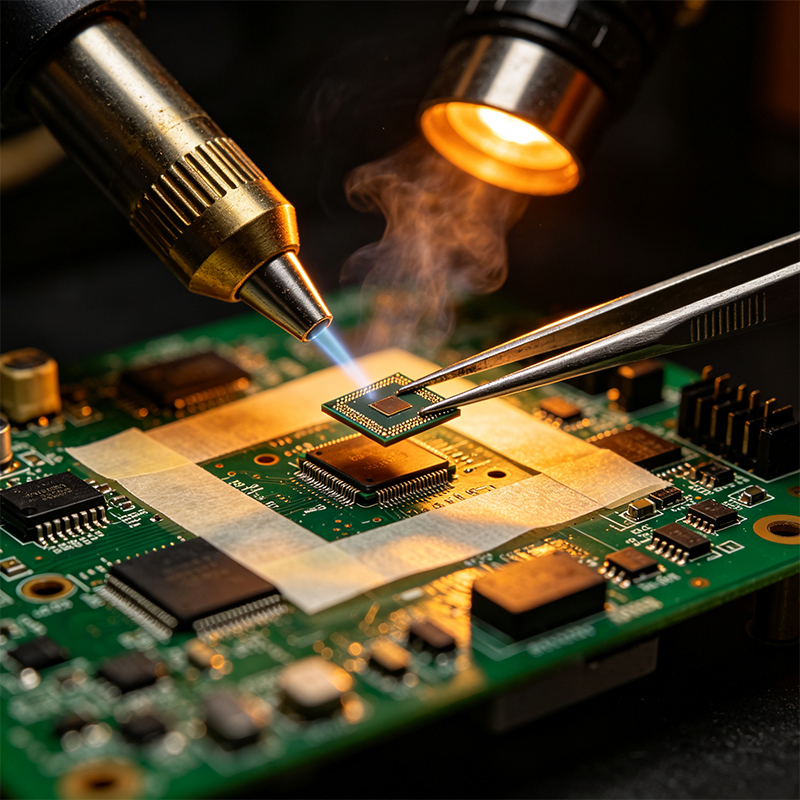
A large chip (BGA, QFN) has failed – Removing and replacing these chips requires specialized tools (hot air station, stencils, reflow). Not for beginners.
The cost of a replacement board is lower than your time – If a new board is $20 and you’ve already spent two hours, it’s time to move on.
A Real‑World Example: Fixing a Broken Trace on a Keyboard
A friend’s mechanical keyboard stopped registering the “E” key. I opened it and saw a faint scratch across a thin copper trace leading to that switch. Using a magnifier, I scraped off the green solder mask on both sides of the scratch, tinned the exposed copper, and soldered a tiny jumper wire (a single strand from a scrap cable) across the gap. Five minutes later, the “E” key worked perfectly.
How to Prevent PCB Damage in the Future
Handle boards by the edges – Finger oils can corrode copper over time.
Don’t bend rigid boards – They crack.
Use an anti‑static mat and wrist strap when handling sensitive components (especially in dry environments).
Store boards in anti‑static bags if you’re not using them right away.
Avoid over‑tightening screws – Cracks often start near mounting holes.
Safety First
Unplug the device before you open it. Capacitors can hold a charge – use a resistor to discharge large ones (over 1000µF) if you’re unsure.
Work in a well‑ventilated area – Solder fumes aren’t good to breathe.
Don’t touch the soldering iron tip – It’s hot (obvious, but worth repeating).
Wear safety glasses when cutting or scraping – tiny bits of copper or fiberglass can fly into your eyes.
What About Flexible PCBs?
Fixing a flexible circuit is similar but trickier. The polyimide material can melt if you overheat it. Use a lower soldering iron temperature (around 300°C). Use flexible jumper wire (stranded, not solid) and reinforce the repair with a dab of flexible epoxy or a piece of Kapton tape.
A Quick Note (Brief Mention)
We’re a custom circuit board manufacturer specializing in flexible PCBs, rigid‑flex, HDI high‑frequency boards, and PCBA. While we don’t offer repair services, we design and build new boards that are durable and reliable. If your product keeps failing, maybe it’s time for a redesigned board – and we can help with that.
Final Answer – How to Fix a PCB Board
To fix a PCB board:
Find the problem – Use visual inspection, smell, and a multimeter continuity test.
Common fixes – Re‑solder cold joints, bridge broken traces with a jumper wire, replace bulging capacitors, and remove solder bridges with flux or wick.
Tools – Soldering iron, solder, flux, multimeter, magnifier, isopropyl alcohol, and small wire.
Know when to stop – Water damage, internal layer breaks, and failed BGAs are usually not worth repairing.
With patience and the right tools, you can fix many circuit boards yourself. Not every problem needs a replacement – sometimes a single wire is all it takes to bring a device back to life.

Kaboer manufacturing PCBs since 2009. Professional technology and high-precision Printed Circuit Boards involved in Medical, IOT, UAV, Aviation, Automotive, Aerospace, Industrial Control, Artificial Intelligence, Consumer Electronics etc..


 English



 Wechat
 +86 13670210335
 +86 13670210335
 E-mail