
Date: 2025-12-26
PCB Files refer to the complete set of digital data and documentation required to fabricate a bare printed circuit board and assemble components onto it. This is not a single file, but a comprehensive data package that acts as the crucial communication bridge between your design team and the manufacturer. For any electronics manufacturer, preparing accurate and complete PCB files is the most critical step in transitioning a design from concept to a functional, mass-produced product.
A missing, incorrect, or ambiguous file can lead to production delays, costly errors, or non-functional boards. Understanding the purpose and format of each file is essential for a smooth New Product Introduction (NPI) process.
A professional PCB manufacturing and assembly data package typically consists of the following core files:
For PCB Fabrication (Making the Bare Board):
Gerber Files (RS-274X): The industry-standard language for describing the physical layers of a PCB (copper, solder mask, silkscreen, drill drawing). Each layer is a separate file (e.g., .GTL for Top Layer, .GBL for Bottom Layer, .GTS for Top Solder Mask).
NC Drill File: Provides instructions for the drilling machine, specifying the location and size of every hole (vias, mounting holes, etc.). Usually in Excellon format.
IPC-356/Netlist File: An optional but highly recommended file that allows the fabricator to perform Electrical Test by verifying connectivity matches the design intent.
For PCB Assembly (Placing Components):
Bill of Materials (BOM): A spreadsheet listing every component on the board. A good BOM includes: Reference Designator, Quantity, Manufacturer Part Number (MPN), Description, and Footprint.
Pick-and-Place File (Centroid File): Provides the X, Y coordinates, rotation, and side for every surface-mount component. This file drives the automated SMT machines.
Assembly Drawings: PDF drawings showing component outlines, orientations, and any special instructions for through-hole components or odd-form parts.
Gerber Files: Modern standards demand Gerber X2 format or the newer IPC-2581, which embed layer stackup and attribute data, reducing ambiguity. Always generate a separate file for the board outline and include a readme.txt file explaining the layer stack-up.
BOM File:
Clarity is King: Use a single, unambiguous MPN per line. Avoid using "or" between part numbers.
Consolidation: Group identical components under one line item with multiple designators (e.g., R1,R2,R3-R10).
Pick-and-Place File:
Origin: Define the origin point (usually the board's lower-left corner or a fiducial).
Units: Specify units (millimeters or inches) and coordinate format.
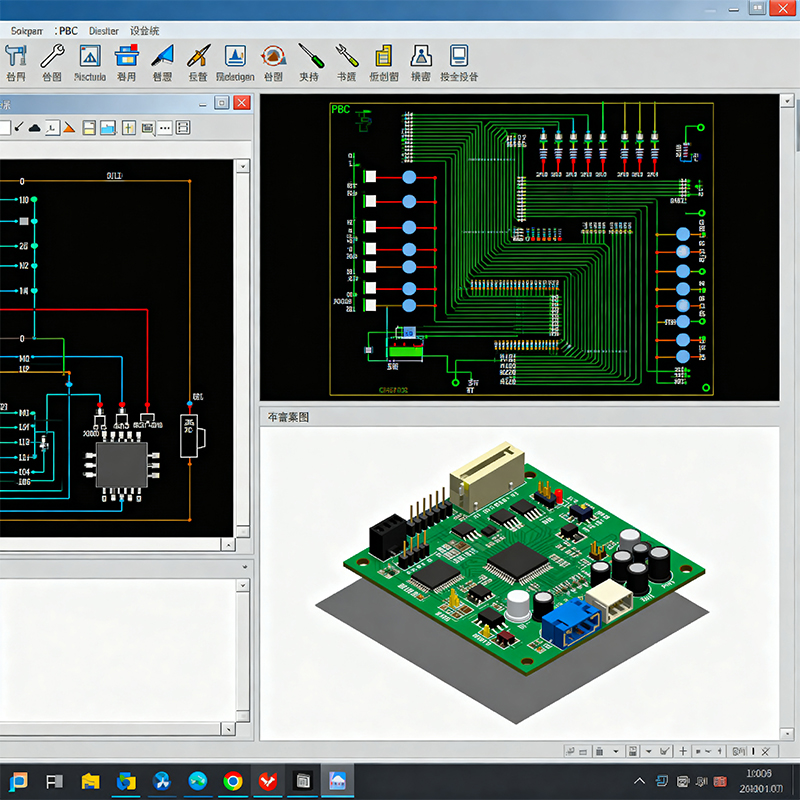
Generation: Export all files from your PCB design software (Altium Designer, KiCad, Eagle, OrCAD).
Verification: Use a free Gerber viewer (like ViewMate) to visually inspect your files before sending them. Check for layer alignment, missing features, or incorrect apertures.
Submission: Compress all files into a single ZIP archive and send to your manufacturer.
Manufacturer's DFM Review: A competent manufacturer will run a Design for Manufacturability (DFM) check, analyzing your files for potential issues like minimum trace width violations, insufficient annular rings, or soldermask slivers. They should provide a detailed report.
The quality of your PCB files directly determines:
Manufacturing Yield: Poor files lead to misinterpretation and defective boards.
Lead Time: Incomplete packages halt production until clarification is received.
Cost: Errors found during fabrication or assembly are exponentially more expensive to fix than those caught in the design phase.
Product Reliability: A mistake in a Gerber or BOM can create a latent fault that fails in the field.
At Kaboer, we understand that your PCB files are more than just data—they are the blueprint of your innovation. Our expertise lies in seamlessly translating these files into high-quality, reliable assemblies. With our owned and operated PCBA factory in Shenzhen, China, we offer a distinct advantage in this critical phase.
Your Advantage When You Submit Files to Kaboer:
Expert DFM Analysis as Standard: We don't just accept your files and run them. Our engineering team performs a thorough, automated and manual DFM check, providing you with a clear, actionable report. We proactively identify potential issues related to assembly, soldering, and testability before tooling begins, saving you time and cost.
Direct Communication & Fast Feedback: Working with our own factory means your files are reviewed by the same team that will manage your production. Questions are resolved quickly and clearly, without the delays of a middleman or a remote engineering office.
"Right-the-First-Time" Manufacturing: Our in-house control over the entire SMT and assembly process, guided by precise file interpretation, ensures your design intent is executed accurately. This minimizes deviations and maximizes first-pass yield.
Supply Chain Integration: From your BOM, we can immediately leverage our position in Shenzhen's ecosystem to provide component sourcing analysis, identify alternatives for obsolete parts, and manage procurement efficiently for a true turnkey service.
Seamless Scaling from Prototype to Volume: The file handoff process established during your NPI phase remains consistent and efficient as you scale to mass production, ensuring continuity and reliability.
Think of Kaboer as an extension of your manufacturing engineering team. We bridge the gap between your design data and a flawless physical product.
Q1: What is the difference between Gerber files and CAD files?
A: CAD files (e.g., .PcbDoc, .Brd) are the native, editable project files from your design software. Gerber files are the standardized, flattened, and un-editable output generated from the CAD files specifically for manufacturing. You send Gerbers, not CAD files, to the fab house.
Q2: Can I just send a PDF schematic and board layout?
A: Absolutely not. PDFs are for human review only. Manufacturing machines (photoplotters, drillers, pick-and-place) require the precise, machine-readable numerical data contained in Gerber, drill, and centroid files.
Q3: Who is responsible for errors if the manufactured board is wrong?
A: Responsibility hinges on the approved data. If the manufacturer builds exactly to the provided and approved PCB files, the liability for a design error lies with the designer. If the manufacturer deviates from the approved files, they are liable. This makes the pre-production DFM review and approval cycle critically important.
Q4: What is an "IPC Netlist" and do I need it?
A: An IPC netlist is a file that describes how components should be connected. It allows the fabricator to perform a netlist test after manufacturing the bare board, checking for open or short circuits against your design. For complex or high-reliability boards, it is a highly recommended safeguard.

Kaboer manufacturing PCBs since 2009. Professional technology and high-precision Printed Circuit Boards involved in Medical, IOT, UAV, Aviation, Automotive, Aerospace, Industrial Control, Artificial Intelligence, Consumer Electronics etc..


 English



 Wechat
 +86 13670210335
 +86 13670210335
 E-mail