
Date: 2026-05-14
If you’ve ever designed a product with a flexible printed circuit (FPC) – a folding phone, a wearable device, a camera module, or a display – you know that the flex cable needs to connect to the main board. And that connection is only as good as the FPC connector you choose.
Get the connector wrong, and you’ll face intermittent signals, broken latches, or boards that won’t stay connected. Get it right, and your product will be reliable, compact, and easy to assemble.
Let’s talk about FPC connectors in plain English: what they are, the different types, how to choose the right one, and what you should know before you order your next batch of flexible circuits.
What Is an FPC Connector?
An FPC (Flexible Printed Circuit) connector is a small, surface‑mount component that allows you to plug a flexible flat cable (or a flexible PCB tail) into a rigid circuit board. It’s like a tiny, precise clamp that holds the flex cable in place and makes electrical contact between the pads on the flex and the pins inside the connector.
You’ve seen them everywhere: inside laptops for display ribbons, inside phones for camera modules, inside printers for moving heads, and inside drones for sensor connections.
Why Do You Need a Separate Connector? Why Not Just Solder?
Good question. You could solder a flexible tail directly to the board – that’s called a soldered FPC. But then you can’t disconnect it for repair, upgrade, or assembly convenience. An FPC connector gives you a plug‑and‑play interface. You can assemble the flex cable in minutes, and if something breaks, you just replace the cable, not the whole board.
For high‑volume manufacturing, connectors also speed up assembly. No hand‑soldering of fragile flex tails – just insert and flip a latch.
Types of FPC Connectors – The Main Families
Not all FPC connectors are the same. Here are the most common types you’ll encounter.
1. Non‑ZIF (Non‑Zero Insertion Force) – Old School
These connectors have no locking mechanism. You simply push the FPC into the slot, and friction holds it in place. They’re cheap and simple, but not very reliable under vibration. You’ll find them in low‑cost consumer products that don’t move much. Our advice: avoid them for anything serious.
2. ZIF (Zero Insertion Force) – The Industry Standard
ZIF connectors are the gold standard. You open a small flap (or slide a locking bar), insert the FPC with zero force, then close the flap to clamp the cable in place. This gives a strong, reliable connection that resists vibration.
ZIF connectors come in two main actuator types:
Flip‑lock (hinge type) – You flip up a small black or brown plastic flap, insert the cable, then press the flap down. Very common.
Slide‑lock (drawer type) – You slide a plastic bar outward, insert the cable, then slide the bar back to lock.
Most modern electronics use ZIF connectors because they’re reliable and easy to use.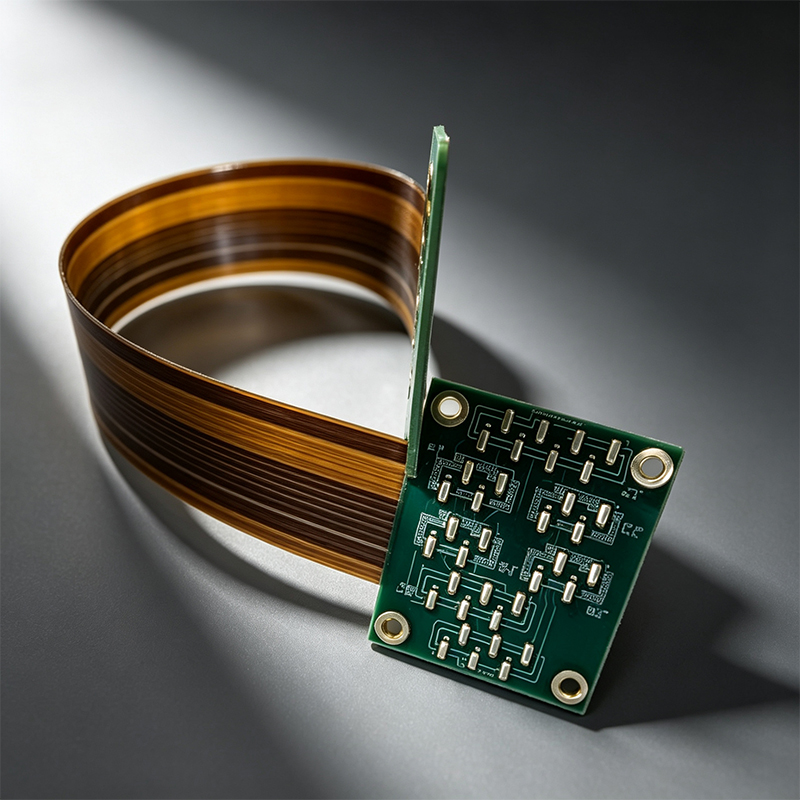
3. Backflip Connector – A Flip‑lock Variant
Similar to ZIF but the actuator flips backward, away from the insertion slot. Some designs use this to save space or make assembly easier in tight spots.
4. FPC-to‑Board Connector – For Right‑Angle Connections
These connectors accept the FPC at a 90‑degree angle relative to the board. Useful when space is tight – e.g., along the edge of a phone motherboard.
5. FPC-to‑Cable Connector – For Extensions
Sometimes you need to join two flexible cables together. That’s a different part, but many FPC connector families offer cable‑to‑cable variants.
Key Specifications You Must Check
When you’re choosing an FPC connector, don’t just guess. Look at these numbers:
Pitch – The distance between the center of one pin to the next. Common pitches: 0.3mm, 0.5mm, 0.8mm, 1.0mm, 1.25mm. Smaller pitch saves space but requires more precise FPC design and assembly. For most products, 0.5mm is a sweet spot.
Number of positions – How many pins? From 4 to 80+, depending on your signal count.
Contact orientation – Top contact (pins on the top side of the FPC) or bottom contact (pins on the bottom). Most FPC connectors are bottom contact, but always verify.
Voltage and current rating – Most FPC connectors handle 0.2A to 0.5A per pin and up to 50V. For power, you’ll need dedicated power pins or a different connector type.
Operating temperature – Usually -25°C to +85°C. For automotive or outdoor, look for -40°C to +105°C or higher.
Insertion cycles – How many times can you plug and unplug? Standard ZIF connectors are rated for 20–50 cycles. For test or repair‑friendly designs, you might want more.
FPC Connector Brands You’ll Encounter
Major manufacturers include: Molex, TE Connectivity, Hirose, JST, Samtec, Panasonic, and Amphenol. Each has its own series (e.g., Hirose FH12, Molex Easy‑On). The prices and availability vary, so for mass production, pick a part that’s widely available and not end‑of‑life.
FPC Thickness – A Critical Match
Your flexible circuit has a specific thickness – typically 0.12mm, 0.2mm, or 0.3mm for stiffener‑reinforced tails. The FPC connector is designed for a specific cable thickness. If you use a 0.3mm thick FPC in a connector meant for 0.12mm, it may not close properly or could damage the contacts.
Always check the datasheet. And when you order custom flexible PCBs from us, we can recommend the right connector and even design the tail shape to match.
Common Problems with FPC Connectors (And How to Avoid Them)
Broken latches – The plastic flap is fragile. Teach assembly operators to open gently, not to pry. For high‑volume, consider connectors with metal‑reinforced latches.
Mis‑insertion – The cable goes in crooked or upside down. Use keying features (slots, cutouts) on the FPC to prevent wrong orientation.
Dirty contacts – Flux or dust on the FPC pads can cause intermittent connection. Clean the pads with isopropyl alcohol before assembly.
Lifting the connector during soldering – SMT FPC connectors have small hold‑down tabs. Ensure your PCB footprint has adequate copper for mechanical strength.
Stress on the cable – If the FPC is pulled or bent sharply near the connector, the contacts can lift. Use a strain relief (like a piece of tape or an adhesive-backed stiffener) near the insertion point.
How to Design an FPC Tail for a Connector
Your flexible PCB tail (the end that plugs into the connector) needs a few special features:
Gold plating – ENIG (gold over nickel) is standard. Gold provides low contact resistance and resists corrosion.
Stiffener – A polyimide or FR4 stiffener behind the contact area keeps the tail flat and easy to insert. Without a stiffener, the thin flex can buckle.
Chamfered corners – Rounded or angled tips slide into the connector more easily.
Pull tab – A small extension beyond the stiffener gives you something to grab for removal.
Contact pads – Usually with a pitch matching the connector (e.g., 0.5mm). Pads should be clean, flat, and coated with hard gold (for durability) or soft gold.
When to Use FPC Connectors – And When to Use Alternatives
Use an FPC connector when – You need disconnection (repair, upgrade, modular assembly), or you have multiple flex cables that share one connector, or you’re mass‑producing and want fast assembly.
Don’t use a connector when – The flex will be permanently attached (solder it directly), or space is extremely tight (connectors add height and length), or the application is ultra‑low‑cost (direct soldering is cheaper).
A Real‑World Example: A Smartwatch Manufacturer
A customer came to us with a smartwatch design. They had three separate flexible circuits – one for the display, one for the battery, and one for the sensors – each with its own FPC connector on the main board. That took up too much space and cost. We suggested a rigid‑flex board: the main processor on a rigid section, and all three flex tails extending from it as one continuous board. No connectors needed for the internal flexes – only one FPC connector to an external battery pack. They saved space, reduced assembly time, and improved reliability.
What We Can Do for You
We’re not a connector manufacturer. We’re a custom circuit board manufacturer. We make:
Flexible PCBs (single‑, double‑sided, multi‑layer)
Rigid‑flex boards (rigid sections with integral flex tails)
HDI high‑frequency boards (for RF and high‑speed digital)
PCBA (full assembly, including soldering of FPC connectors)
Here’s how we help with your FPC connector needs:
We design the tail – We’ll create the exact FPC tail shape, pad layout, stiffener placement, and gold plating to match your chosen connector.
We recommend connectors – Based on your pitch, current, and cycle life, we can suggest specific part numbers from Molex, Hirose, etc.
We assemble the connector – If you order PCBA, we can solder the FPC connector onto your rigid board and attach the flexible tail. We’ll test the connection for continuity.
We help with rigid‑flex – In many cases, you can eliminate the connector entirely by using a rigid‑flex board. We’ll show you when that makes sense.
Ready to Move Forward?
If you’re designing a product that uses flexible circuits, you’ll need to think about FPC connectors early. Send us your schematic or a rough sketch. We’ll recommend the best connection method – whether that’s a ZIF connector, direct soldering, or a rigid‑flex solution. And we’ll manufacture the boards to fit perfectly.

Kaboer manufacturing PCBs since 2009. Professional technology and high-precision Printed Circuit Boards involved in Medical, IOT, UAV, Aviation, Automotive, Aerospace, Industrial Control, Artificial Intelligence, Consumer Electronics etc..


 English



 Wechat
 +86 13670210335
 +86 13670210335
 E-mail