
Date: 2026-05-28
If you’ve ever shopped for a mechanical keyboard kit or browsed through custom keyboard forums, you’ve probably come across the term “south‑facing PCB.” At first glance, it sounds like something related to geography or solar panels. But in the world of circuit boards and keyboards, it has a very specific and practical meaning.
Let’s break down what a south‑facing PCB is, why it matters for your typing experience, and how it compares to the more common north‑facing design.
The Short Answer
A south‑facing PCB is a printed circuit board used in mechanical keyboards where the LED (usually an RGB LED) is positioned on the lower side of the switch – closer to the person typing. In contrast, a north‑facing PCB has the LED on the upper side of the switch, closer to the letter side of the keycap.
This seemingly small difference has a big impact on keycap compatibility, switch feel, and RGB lighting effects.
Why Does LED Orientation Matter?
On a mechanical keyboard, each key has a switch that sits on top of the PCB. Many modern PCBs include through‑hole or surface‑mount LEDs that shine up through the switch and into the keycap. Keycaps often have translucent legends (letters) that light up when the LED shines from below.
But here’s the catch: many popular keycap profiles – especially Cherry profile – have a slightly different thickness on the side that faces the user compared to the side that faces away. When the LED is on the north side (top), the bottom edge of the keycap can physically hit the LED housing when you fully press the key. This is called interference, and it makes the switch feel mushy, reduces travel distance, and can even damage the keycap or switch over time.
What Does “South‑Facing” Mean?
South‑facing – The LED is soldered on the side of the switch that points toward the typist (the “south” edge of the key). When you look at the keyboard from above, the LED is below the switch, closer to the spacebar side.
North‑facing – The LED is on the opposite side, pointing toward the top of the keycap (the “north” edge, away from the typist, toward the number row).
Most mass‑produced gaming keyboards use north‑facing PCBs because they produce brighter legends – the light shines directly up through the keycap. However, those same keyboards have trouble with Cherry‑profile keycaps.
South‑Facing vs. North‑Facing – A Quick Comparison
| Feature | South‑Facing PCB | North‑Facing PCB |
|---|---|---|
| LED position | Bottom side (toward typist) | Top side (away from typist) |
| Cherry profile keycap compatibility | Excellent – no interference | Poor – switches may hit the LED |
| Other keycap profiles (OEM, SA, etc.) | Usually compatible | Usually compatible |
| RGB legend brightness | Dimmer – light hits the front edge of the switch | Brighter – light shines straight up through the keycap |
| Typing feel | Smooth, full travel | May feel mushy or bottom out early with some keycaps |
| Common use | Custom keyboards, enthusiast kits | Pre‑built gaming keyboards, RGB‑focused designs |
The Interference Problem Explained
Let’s dive a little deeper into why north‑facing PCBs cause issues with Cherry‑profile keycaps.
Cherry profile keycaps are shorter and have a more sculpted shape than OEM or SA profiles. The row that has the letters (the home row) has a sloped face. On a north‑facing PCB, when you press a key all the way down, the inside of the keycap shell can touch the LED bulb or the LED housing. This contact reduces the total travel distance (usually from 4mm to about 3.5mm) and changes the bottom‑out feel from a crisp tap to a muffled thud.
For touch typists, that inconsistency can be annoying. It also makes the keyboard sound different – often described as “hollow” or “mushy” on the rows with interference.
South‑facing PCBs completely avoid this problem because the LED is on the opposite side – far away from the part of the keycap that would make contact.
But What About RGB Brightness?
The main trade‑off is brightness. On a south‑facing PCB, the LED sits under the front lip of the keycap. The light has to bounce around inside the switch and keycap before it reaches the legend. As a result, the letters don’t glow as brightly as on a north‑facing board.
However, many enthusiasts don’t mind because they value feel and keycap compatibility over flashy RGB effects. Some south‑facing PCBs use “shine‑through” keycaps designed specifically for this orientation, which helps. Others rely on side‑lit keycaps or simply turn off the RGB and focus on the typing experience.
Are There Other Ways to Fix Interference?
Yes, a few, but they all have downsides:
Use different keycaps – OEM or SA profiles usually don’t have interference issues. But you lose the Cherry profile feel.
Add o‑rings or pads – These can reduce the travel distance enough to avoid hitting the LED, but they change the feel and sound.
Buy “interference‑free” switches – Some switch brands (like Gateron’s “North‑facing compatible” line) have a modified housing that clears the LED. However, these are less common.
Modify the keycaps – Some people sand down the inside of the keycap, but that’s tedious and can ruin the cap.
Most keyboard builders find that a south‑facing PCB is the simplest, most reliable solution.
Where Did the Term Come From?
The “south” and “north” names come from the standard way we look at a keyboard. Imagine the keyboard sitting in front of you. The top row (number row) is “north.” The spacebar row is “south.” So a south‑facing LED sits closer to you; a north‑facing LED sits closer to the screen.
The term became popular in the mechanical keyboard community around 2018–2019, when custom keycaps like GMK (which uses Cherry profile) became widely available. Builders discovered that their expensive GMK keycaps didn’t fit well on north‑facing PCBs, and the demand for south‑facing boards exploded.
Do All PCBs Use This Terminology?
No, this is almost exclusively a mechanical keyboard term. In other applications – like industrial control boards, medical devices, or general electronics – you’ll never hear “south‑facing” or “north‑facing.” It’s specific to keyboards because the orientation of the switch and LED directly affects how a person types.
What About Flexible PCBs or Rigid‑Flex Boards?
The same principle applies. If you’re designing a keyboard with a flexible or rigid‑flex PCB, you can still choose the LED orientation. Flexible PCBs are sometimes used in ergonomic, split, or foldable keyboards where the board bends. In those cases, south‑facing orientation is still a design choice – nothing about the flexible material changes the interference problem.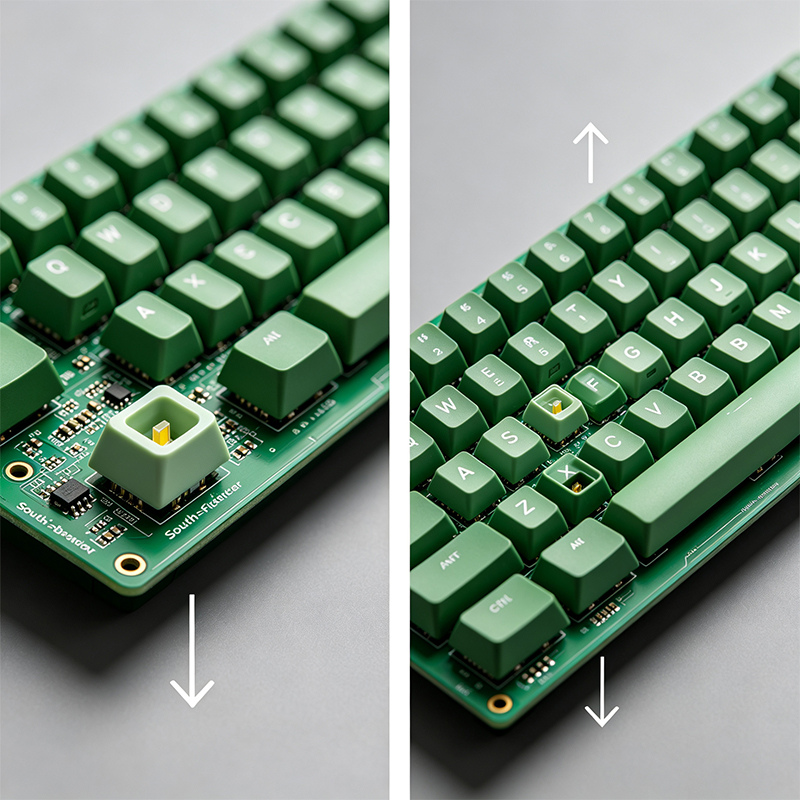
A Quick Note on Through‑Hole vs. Surface‑Mount LEDs
On south‑facing PCBs, you’ll often see through‑hole LEDs (little cylindrical bulbs) or SMD LEDs (tiny flat squares). Through‑hole LEDs stick up higher and are more likely to cause interference if placed incorrectly. SMD LEDs are lower profile and usually safer. Most modern south‑facing designs use SMD LEDs for better clearance.
Which One Should You Choose?
It depends on what you value most:
Choose a south‑facing PCB if – You plan to use Cherry‑profile keycaps (like GMK, ePBT, or other high‑end sets), you care about smooth typing feel and consistent travel, and you don’t mind slightly dimmer RGB or you rarely use backlighting.
Choose a north‑facing PCB if – You use OEM or SA keycaps, you want the brightest possible RGB shine‑through, or you’re buying a pre‑built gaming keyboard and don’t plan to swap keycaps.
For many custom keyboard enthusiasts, south‑facing has become the default because it offers the most flexibility. You can always add brighter LEDs or use different keycaps, but you can’t “fix” north‑facing interference without major work.
Real‑World Example: A Custom Keyboard Build
Let’s say you buy a popular DIY kit like the KBDfans Tofu or the Keychron Q series. Many of these kits come with a south‑facing PCB. You then purchase a set of GMK keycaps – expensive, high‑quality Cherry‑profile keycaps. You install them, and every key presses smoothly with no interference. The RGB is still visible, but the legends aren’t blindingly bright. You’re happy because the typing feel is perfect.
If that same kit had a north‑facing PCB, you’d feel a rough spot on the home row keys. You’d either return the keycaps or buy a different set. That’s why south‑facing has become the gold standard.
Can You Convert a North‑Facing PCB to South‑Facing?
Technically, no. The LED pads are fixed on the PCB layout. You would need to redesign the entire board. That’s why when you’re shopping for a keyboard, you should check the product description for “south‑facing RGB” or “north‑facing RGB.”
What We Do (Very Briefly)
As a custom circuit board manufacturer specializing in flexible PCBs, rigid‑flex boards, HDI high‑frequency boards, and PCBA, we don’t only make keyboards – but we understand these design choices. If you need a custom keyboard PCB or any other kind of circuit board, we can help you specify the LED orientation, switch footprint, and materials.
Final Answer – What Is a South‑Facing PCB?
A south‑facing PCB is a mechanical keyboard circuit board where the LED is placed on the bottom side of each switch (closer to the user). This design prevents interference with Cherry‑profile keycaps, ensuring smooth key travel and full compatibility with high‑end keycap sets. The trade‑off is slightly dimmer RGB legend brightness compared to north‑facing PCBs.

Kaboer manufacturing PCBs since 2009. Professional technology and high-precision Printed Circuit Boards involved in Medical, IOT, UAV, Aviation, Automotive, Aerospace, Industrial Control, Artificial Intelligence, Consumer Electronics etc..


 English



 Wechat
 +86 13670210335
 +86 13670210335
 E-mail