
Date: 2026-06-08
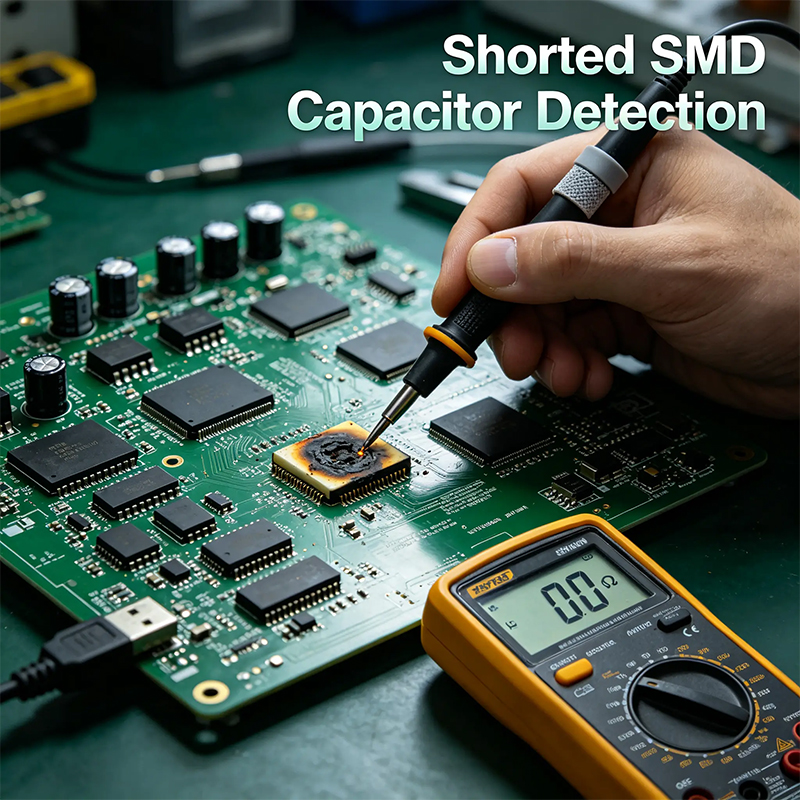
So you're repairing a circuit board – maybe a laptop, a monitor, or some random gadget – and your multimeter starts beeping. You've found a tiny little SMD capacitor that is completely shorted (zero ohms between its two ends). Great, you found the bad guy. But now you have a new problem: that capacitor has no writing on it. No "104", no "22µF", nothing. It's just a little brown or grey block. How on earth do you know what value to replace it with?
This is one of the most frustrating moments in electronics repair. But don't worry – I've been there dozens of times. In this guide, I'll walk you through the exact same methods I use (and that pro repair shops use) to figure out a shorted SMD capacitor's value. No magic, just logic and a few tricks.
Before you heat up your soldering iron, do these three things:
Take a clear macro photo of the area around the capacitor. You'll need to zoom in on traces and nearby components.
Grab a piece of paper to note down nearby component labels (like C402, C405, etc.)
Open your browser – you might need to search for schematics.
This is the golden rule: Find which other capacitors are connected in parallel with the shorted one.
Here's how you do it:
Set your multimeter to continuity mode (the beeping one).
Put one probe on either end of the shorted capacitor.
Now poke the other probe on the ends of nearby capacitors. If your meter beeps, that means those two capacitors are connected to the same power rail (they're in parallel).
Identify the healthy ones among those parallel pals (the ones that are not shorted).
Desolder or measure those healthy capacitors (out-of-circuit is best) to get their capacitance value.
The shorted capacitor almost always has the same or a very similar value to its parallel neighbors, especially if they share the same physical size (package).
Example: You find that a shorted 0805 capacitor is parallel to another 0805 capacitor that reads 10µF. Bingo – replace the shorted one with 10µF.
Why this works: On a circuit board, designers often put multiple capacitors of the same value in parallel to increase total capacitance or lower ESR. So your shorted cap is likely a twin of its friend.
Look at where the capacitor sits on the board. Its physical location tells you a lot.
Location A – Next to a chip's power pin (decoupling cap):
This is the most common type of SMD capacitor.
Value guess: 99% of the time it's 0.1µF (also written as 100nF or "104").
Sometimes it's 1µF ("105") or 10µF ("106").
Package size: usually 0402, 0603, or 0805.
Location B – Near the power input (DC jack, battery connector):
These are bulk filtering capacitors.
Value guess: anywhere from 10µF to 470µF.
Package: larger, like 0805, 1206, or even a tantalum capacitor (yellow or black rectangle).
Voltage rating guess: at least 2x the input voltage. For a 5V USB input, use 10V or 16V caps.
Location C – Next to a crystal oscillator (the little silver rectangle):
Those two tiny capacitors are usually 15pF, 18pF, or 22pF (picofarads).
Shorted ones are rare here, but if you find one, replace with a 18pF or 22pF C0G capacitor.
Location D – In an RC filter or feedback loop:
Values range from 100pF to 0.1µF usually.
Even though there's no text, SMD capacitors come in standard sizes. Use a caliper or just compare visually:
| Package Code | Size (mm) | Typical Capacitance Range |
|---|---|---|
| 0402 | 1.0 x 0.5 | 1pF – 0.1µF |
| 0603 | 1.6 x 0.8 | 0.5pF – 10µF |
| 0805 | 2.0 x 1.25 | 1pF – 22µF |
| 1206 | 3.2 x 1.6 | 1pF – 100µF |
| 1210 | 3.2 x 2.5 | up to 470µF |
Now combine this with Method 2. A 0603 cap next to an IC is probably 0.1µF. A 1206 cap near the power jack is probably 22µF or 47µF.
Once you desolder the shorted cap (and the short is gone), you have an empty pair of pads. Now you can experiment:
Solder a variable capacitor or a set of known good capacitors (starting with a small value like 0.1µF, then 1µF, then 10µF, etc.) onto those pads.
Power up the board and see if the circuit works normally.
If the board is a power supply, check the output voltage ripple with an oscilloscope (if you have one). The right cap value will make the ripple small and stable.
If no oscilloscope, just test functionality – e.g., does the USB port recognize a device? Does the screen stop flickering?
This method is a bit time-consuming, but it's a lifesaver when you have absolutely no schematic and no parallel buddies.
This is not always possible, but when it is, it's 100% accurate.
Look at the white silkscreen text next to your shorted capacitor. It'll say something like "C402" or "C511".
Go to Google and search: "[device model number] schematic" or "[device model number] boardview".
Popular sites include Badcaps, Elektrotanya, or even manufacturer repair sites.
Once you open the schematic PDF or Boardview file, search for "C402". The schematic will tell you exactly: e.g., "22µF 6.3V X5R".
This is the gold standard. I highly recommend spending 10 minutes searching before you guess blindly.
Even after you figure out the capacitance (µF), don't just grab any capacitor. You also need:
Voltage Rating – Must be higher than the voltage across those pads. Use a simple rule: multiply the circuit voltage by 1.5 or 2.
3.3V circuit → use 6.3V or 10V caps
5V circuit → use 10V or 16V caps
12V circuit → use 25V or 35V caps
Dielectric Type – For most repairs, X7R or X5R works perfectly. For precision circuits (oscillators, audio), use C0G/NP0. Avoid Y5V unless you're desperate.
Size – Must match the original footprint (0402, 0603, etc.). Otherwise it won't fit.
Last month, I was repairing a dead router. A 1206 SMD capacitor near the 12V power input was shorted to ground. I didn't have a schematic. But I noticed a neighboring 1206 capacitor that looked identical and wasn't shorted. I desoldered that healthy one, measured it – 47µF. So I replaced the shorted one with a 47µF/25V X7R. The router powered right up. That's Method 1 in action.
See if there's a schematic (search by board number). If yes → copy value.
If not, find parallel buddies (other caps that beep with the same rail). Measure a healthy one.
If no buddies, look at location (near IC = 0.1µF, near power jack = bigger µF).
Check package size (0402/0603/0805/1206) to narrow range.
Last resort – trial and error with known caps until the circuit works.
Determining the value of a shorted SMD capacitor might seem like detective work, but after a few repairs, it becomes second nature. You don't need a $10,000 LCR meter or a degree in electrical engineering. You just need patience, a multimeter, and these simple tricks.
Good luck with your repair – and may your beeps be few and your fixes be permanent!

Kaboer manufacturing PCBs since 2009. Professional technology and high-precision Printed Circuit Boards involved in Medical, IOT, UAV, Aviation, Automotive, Aerospace, Industrial Control, Artificial Intelligence, Consumer Electronics etc..


 English



 Wechat
 +86 13670210335
 +86 13670210335
 E-mail