
Date: 2026-06-08
Ever opened up a device or bought a second-hand PCB, only to find… nothing. No "R1", no "C5", no little plus sign for a capacitor. Just a clean, green (or blue) board with absolutely zero white text. That's what we call PCB missing silk screen.
If you're used to having those little labels guide your soldering iron, a blank board can feel like driving without road signs. I've been there. But trust me – it's not the end of the world. In fact, learning to handle a missing silkscreen will make you a much better at understanding circuits.
Let me walk you through why silkscreen disappears and, more importantly, what you can actually do about it.
The silkscreen layer on a PCB is basically the instruction manual printed right on the board. It tells you:
Component reference designators (R1, C2, U3, etc.)
Polarity marks for diodes and capacitors (+ / –)
Pin 1 indicators for ICs
Test points and jumper descriptions
Without it, you're left guessing which resistor is which, or which way to place a capacitor. It's not impossible – just more work.
Here are the most common reasons:
Designer forgot or turned it off – Some hobbyists or cost-cutters export Gerber files without the silkscreen layer. The fab house makes exactly what they're given.
Saving money – Adding a silkscreen costs a little extra in low-volume production. Some DIY projects skip it entirely.
Worn off or scratched away – Older boards, especially those exposed to chemicals or constant handling, can lose their white lettering. Solder flux and isopropyl alcohol can also weaken it over time.
Refurbished or recycled boards – Many pulled-from-old-devices boards have their silkscreen deliberately removed (to hide the design) or simply faded from age.
Whatever the reason, you're now holding a "mystery board". Don't toss it. Here's how to crack the case.
If your PCB comes from a common device – a laptop motherboard, a power supply, a popular development board – there's a good chance someone has already shared the schematic or boardview file online.
Schematic shows you how every component is connected electrically. Even if the board doesn't have "R1" written on it, the schematic will tell you what value that resistor should be and where it goes.
Boardview is even better – it's an interactive map of the PCB. You click on a location, and it tells you the component designation (e.g., "C402") and often its value.
How to search: Go to Google and type [device model number] schematic or [board number] boardview. For example: LA-9104P schematic. Check sites like Badcaps, Elektrotanya, or even manufacturer repair portals.
Pros: 100% accurate.
Cons: Not every board has public schematics. But it's always worth a 10-minute search.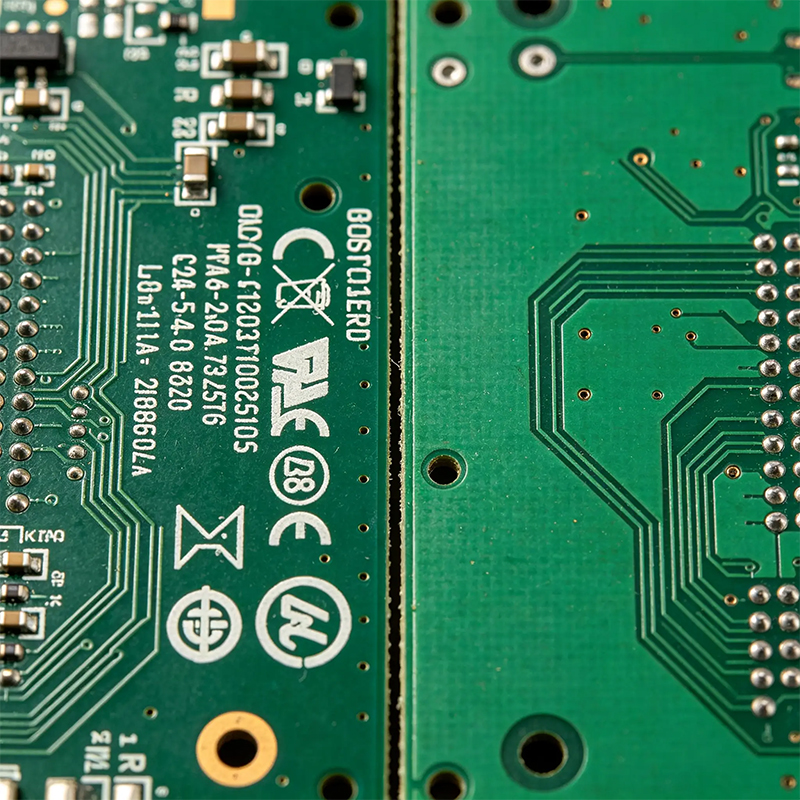
If you can get your hands on an identical board that does have silk screen – or even just a clear photo of one – you're golden.
Place the good board next to your blank one and literally copy the labels over.
No physical board? Search YouTube teardowns, iFixit guides, or even Aliexpress product photos. Zoom in like a detective.
I once repaired a weird Chinese audio board with zero documentation. Spent an hour scrolling through a forum thread, found a blurry but readable photo of the silk screen, and bingo – I knew which capacitor was C12.
This takes a bit of experience, but it's basically reading the PCB like a map.
Find the "landmarks": a big IC, a crystal oscillator, a large inductor, a DC jack. Those are easy to identify by shape.
Then look at the tiny components around them.
Small capacitors next to an IC's power pins? Those are decoupling caps. 99% of the time they're 0.1µF (104).
Two tiny capacitors right next to a silver crystal can? Those are load capacitors, usually 15pF to 22pF.
A large capacitor near the power input? That's a bulk filter cap, typically 47µF to 470µF.
You don't need to know the exact value for every single resistor right away. Start with the obvious ones.
No silkscreen means you have to draw your own map. Good thing your multimeter has a continuity mode (the one that beeps).
First, find ground (GND) – usually the largest copper area, or anywhere connected to mounting holes.
Pick a component you can identify (like an IC or a big capacitor). Put one probe on one of its pins.
Use the other probe to poke around other pads. When it beeps, you've found a connection.
Write it down: "Pin 3 of IC1 connects to C? and R?".
Do this for a few minutes, and you'll start to see patterns – like three capacitors all connected to the same power rail. That tells you they're in parallel and probably have similar values.
This is manual reverse engineering. It's slow, but it's incredibly satisfying when it works.
Once you've figured out what goes where, mark the board yourself.
Fine-point permanent marker (like a CD/DVD marker) works on solder mask. Let it dry. Won't survive heavy scrubbing, but good enough for future you.
Small white stickers with handwritten labels – cheap and easy, but avoid hot components.
Silkscreen repair pen (you can buy white PCB paint pens). Dries hard and looks almost original.
Personally, I keep a fine Sharpie and a set of tiny label stickers in my repair kit. After I reverse-engineer a blank board, I label at least the IC pin 1 markers and capacitor polarities. Future me is always grateful.
Honestly, for super simple boards – like a single-sided LED driver with 5 components – you don't need silkscreen at all. You can follow the copper traces visually.
Also, on ultra-dense boards like smartphone motherboards, almost nobody relies on silk screen for repair anyway. They use boardview files and schematics exclusively. So missing silkscreen on a modern phone board? No big deal.
PCB missing silk screen is annoying, but it's never a dead end. You have five solid ways to fight back:
Find schematics / boardview – always try this first.
Compare with a known good board or photo.
Use common layout rules to guess component roles.
Buzz out connections with your multimeter.
Make your own marks after you figure things out.
Every blank board is just a puzzle. And puzzles are fun once you stop being frustrated. Next time you see a PCB with no white letters, don't panic – grab your meter, open your browser, and start investigating.

Kaboer manufacturing PCBs since 2009. Professional technology and high-precision Printed Circuit Boards involved in Medical, IOT, UAV, Aviation, Automotive, Aerospace, Industrial Control, Artificial Intelligence, Consumer Electronics etc..


 English



 Wechat
 +86 13670210335
 +86 13670210335
 E-mail