
Date: 2026-04-30
So, you’ve unplugged your gadget and you’re ready to dive into the circuit. You’re safe, right? Well, not quite.
In our PCBA lab, we often tell interns: "A capacitor is like a grumpy dog; just because you stopped feeding it (unplugged the power) doesn't mean it won't bite you." Capacitors store electrical energy, and they can hold onto that charge for a surprisingly long time—sometimes days.
If you're wondering how to drain a capacitor without ending up with a singed finger or a ruined PCB, you're in the right place. Let’s break it down in plain English.
Think of a capacitor as a tiny, fast-acting water tank. It’s there to smooth out power or provide a quick burst of energy. Even after you pull the plug, the tank is still full. If you touch the terminals, all that energy tries to go through you to reach the ground.
In high-end electronics—like the high-speed HDI boards or Rigid-Flex circuits we manufacture—capacitors can be small but mighty. In power supplies, they can be downright lethal.
You’ll see "old-school" guys just slap a screwdriver across the leads to create a massive spark. Please, don't do this.
It’s bad for the capacitor: The sudden surge can damage the internal layers.
It’s bad for your tools: It’ll blow a hole in your screwdriver tip.
It’s bad for the board: The "pop" can send a shockwave of EMI that kills nearby sensitive chips.
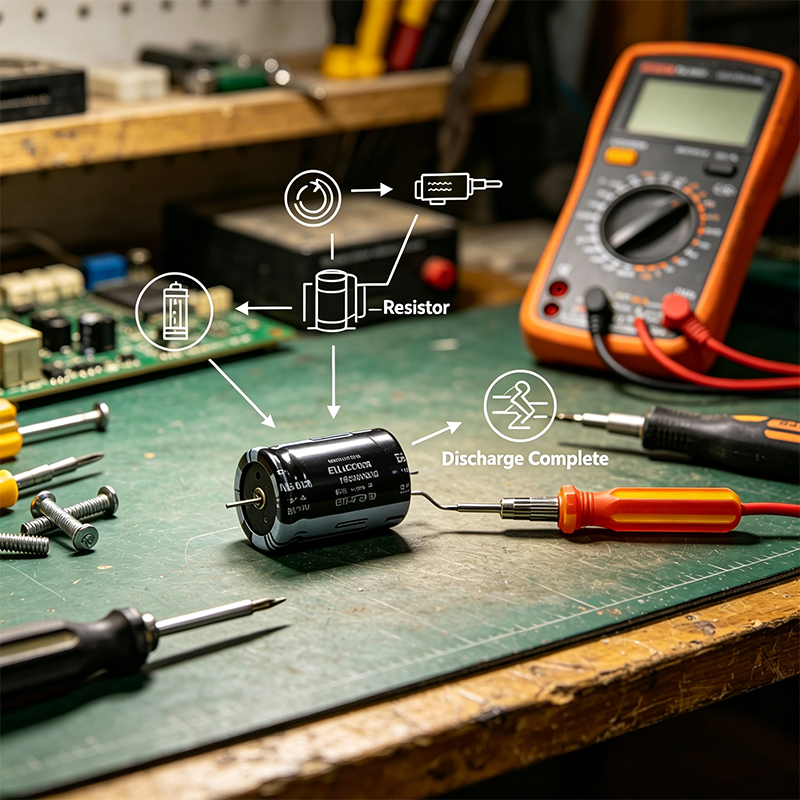
The professional way to drain a capacitor is to give the electricity a narrow, controlled path to escape. This is done with a resistor.
What you’ll need:
A high-wattage resistor (usually 5W to 20W, around 2k to 20k ohms).
Insulated alligator clips.
A multimeter.
The Steps:
Safety Gear First: Wear rubber-soled shoes and, if possible, keep one hand in your pocket. This prevents a loop through your heart if things go south.
Connect the Resistor: Clip one end of your resistor to one terminal of the capacitor and the other end to the second terminal.
Wait for the "Bleed": Let it sit for about 10–30 seconds. The resistor will turn that stored electricity into a tiny bit of harmless heat.
The Double Check: This is the most important part. Take your multimeter (set to DC Voltage) and measure the terminals. If it’s under 1V, you’re in the clear.
When we design custom Flex PCBs for our clients, we often suggest adding a "bleed resistor" directly into the circuit. This is a high-value resistor that slowly drains the capacitor automatically whenever the power is cut. It’s a tiny addition that saves lives and makes repairs a breeze.
Respecting stored energy is what separates a hobbyist from a pro. Whether you’re fixing a toaster or prototyping a complex satellite board, always assume the capacitor is full until you prove it’s empty.

Kaboer manufacturing PCBs since 2009. Professional technology and high-precision Printed Circuit Boards involved in Medical, IOT, UAV, Aviation, Automotive, Aerospace, Industrial Control, Artificial Intelligence, Consumer Electronics etc..


 English



 Wechat
 +86 13670210335
 +86 13670210335
 E-mail