
Date: 2026-06-30
You’ve definitely seen the inside of a computer before. The biggest, most noticeable board inside the case, with the CPU, RAM, graphics card, and cables all plugged into it. That board is the main board.
Also called the motherboard, it’s the “skeleton” plus the “nervous system” of the entire computer. All the hardware sits on it, and all the data travels through it. Without a main board, your CPU has nowhere to go, your RAM has nowhere to plug in, and your hard drive can’t even connect.
In this guide, I’ll explain what a main board is, what’s on it, and why it’s the core of every computer. Plain English, no fluff.
A main board is simply the base circuit board of a computer or electronic device. It does two jobs:
Physical support: It holds the CPU, RAM, graphics card, hard drive — all the hardware — in the right places.
Electrical connection: It lets all the hardware talk to each other and share power. The CPU talks to RAM, the hard drive talks to the CPU, and power flows from the power supply to every part.
Think of it like a city’s foundation plus its road network. The foundation holds all the buildings (CPU, RAM, graphics card) in place. The roads (the copper traces on the board) let those buildings communicate with each other.
A typical main board has lots of parts and slots. At first glance, it might look messy, but every part has a specific job.
CPU Socket: The largest, most prominent slot on the board. The CPU (the computer’s “brain”) goes here. Different CPU generations need different socket types (like Intel LGA1700 or AMD AM5).
Memory Slots (DIMM Slots): Where RAM sticks go. Usually 2 to 4 slots. RAM is the computer’s “short‑term memory” — data the CPU is actively working on lives here.
Chipset: The “traffic controller” on the board. It manages data flow between the CPU, RAM, storage, USB ports, network, audio, and everything else. It’s usually hidden under a heat sink near the CPU socket.
PCIe Slots: Where you plug in graphics cards, network cards, sound cards, and SSDs. Long PCIe x16 slots are typically for graphics cards; short PCIe x1 slots are for network or sound cards.
Storage Connectors: Where hard drives and SSDs connect. Common ones are SATA ports (for traditional hard drives and SATA SSDs) and M.2 slots (for super‑fast NVMe SSDs).
Power Connectors: The power supply cables plug in here. There’s usually a main 24‑pin connector and a separate CPU power connector near the CPU socket.
I/O Ports (Back Panel): The row of ports on the back of the case — USB, HDMI/DP (for monitors), Ethernet, audio jacks — all built into the main board.
Capacitors and Inductors: Cylindrical or square components that stabilize voltage and filter electrical noise. They make sure the CPU and RAM get clean, stable power.
The PCB Itself: The main board is a multi‑layer PCB. Cheap boards might be 4‑6 layers; mid‑range and high‑end boards are 6‑8 layers or more. More layers mean better signal quality and less interference — especially important for high‑end CPUs and overclocking.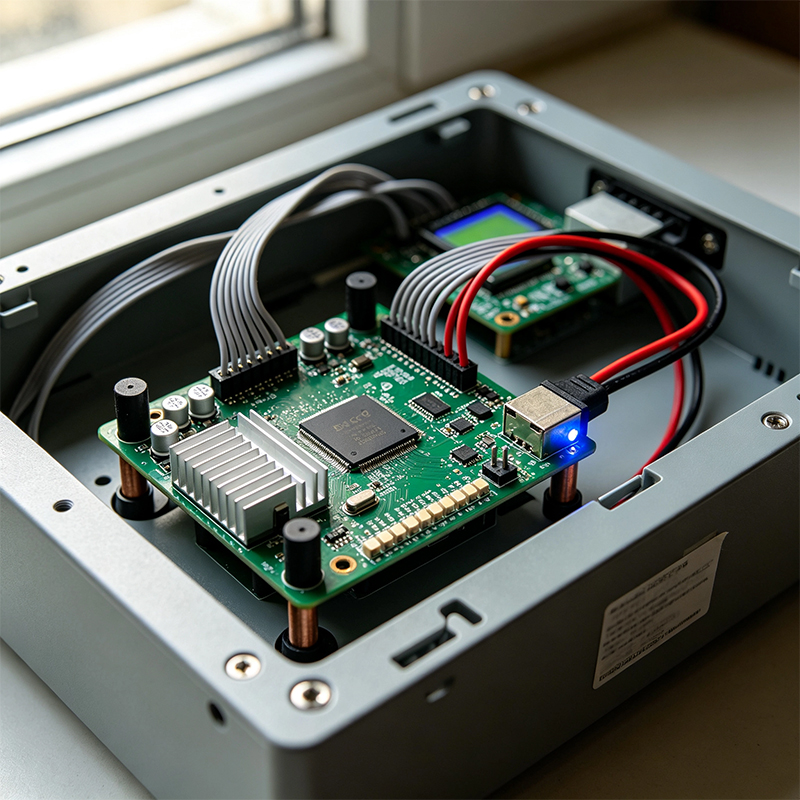
Main boards come in different sizes. The most common ones are:
ATX: 12×9.6 inches. Standard size, most expansion slots. Best for desktop PCs.
Micro-ATX: 9.6×9.6 inches. Smaller than ATX, fewer slots. Good for mid‑size cases.
Mini-ITX: 6.7×6.7 inches. The smallest size, only one PCIe slot. Great for mini PCs and HTPCs.
E-ATX: Larger than ATX. Usually used in high‑end workstations and servers for big CPUs and lots of RAM.
The “main board” isn’t just for computers. Your smart TV, your router, your phone, your car’s infotainment system — they all have a “main board.” They might not be called that, but they do the same job: connect everything together so the device works.
For example, a phone’s “main board” is that long, thin circuit board with the processor, memory, storage, and power management chips all soldered on. A router’s “main board” has the processor, Wi‑Fi chips, Ethernet ports, and memory all on one board.
A main board is the “skeleton” plus the “road network” of an electronic device — everything sits on it, and everything runs through it.
It has a CPU socket, RAM slots, PCIe slots, storage connectors, power connectors, a chipset, and countless tiny components. Desktop motherboards come in ATX, Micro-ATX, and Mini-ITX sizes. And every electronic device — from a phone to a TV to a car — has something that works like a main board.

Kaboer manufacturing PCBs since 2009. Professional technology and high-precision Printed Circuit Boards involved in Medical, IOT, UAV, Aviation, Automotive, Aerospace, Industrial Control, Artificial Intelligence, Consumer Electronics etc..


 English



 Wechat
 +86 13670210335
 +86 13670210335
 E-mail