
Date: 2026-01-14
Let's be honest—when you're searching for a button for pcb, you're usually past the stage of just needing "a switch." You're likely staring at your board layout, trying to solve a very real puzzle: how to fit a reliable, user-friendly tactile interface into your design without causing a manufacturing headache or a last-minute redesign.
It seems simple. It’s just a button. But as many engineers know, the wrong choice can lead to mushy feel, accidental presses, assembly issues, or a product that just doesn't feel right to the customer.
So, how do you choose? Let's talk through the practical considerations beyond the datasheet.
Before diving into catalogs, ask a few key questions about your project:
User Experience First: Is this a power button pressed once a day, or a game controller button mashed hundreds of times an hour? The required lifespan (from 10,000 to over 1,000,000 cycles) will narrow your options dramatically.
The Environment is Key: Will the button live in a clean office, a greasy workshop, or outdoors? You’ll need to consider sealing (IP rating), resistance to dust/liquids, and material durability.
PCB Real Estate: How much space do you truly have? Not just for the button's footprint, but for its height above the board? Don't forget the travel distance it needs to click.
1. Tactile Dome Switches (SMD Tact Switches)
The Scenario: You need a compact, low-profile button for a consumer gadget (like a remote control or a smart home device). You want a positive "click" feel without a huge component.
PCB Design Notes: These are surface-mount devices. Pay close attention to the recommended PCB pad layout in the datasheet. Getting the pad size wrong is a common cause of poor soldering or a "rocking" feeling when pressed. You'll also need to design an overlay (like a polycarbonate sheet with a printed graphic) that transfers the press to the actual switch.
2. Through-Hole Tactile Buttons
The Scenario: Your design can afford a bit more height, and you need maximum mechanical strength and reliability. Think industrial controls, medical devices, or anywhere the button might see rougher use.
PCB Design Notes: These require drilled holes. The pins provide a strong mechanical anchor. The trade-off is manual or selective soldering, which adds a step to your assembly process. Ensure your housing has a guide to prevent side-loading on the button stem.
3. Membrane Keypads
The Scenario: You need a sealed, flat surface with multiple buttons (like a calculator or a kitchen appliance panel). Cost-effective for complex layouts.
PCB Design Notes: You're not mounting a traditional button. Instead, you design PCB pads that act as the contact points. The flexible membrane overlay presses a conductive pill onto these pads. Spacing and pad size are critical here—you need to avoid accidental bridging (ghost presses).
4. Rotary Encoders (with Push-Button)
The Scenario: Your interface needs both selection (rotate) and confirmation (push). Common in audio equipment, digital interfaces, and settings menus.
PCB Design Notes: These can be trickier. They often have multiple pins and require a very stable mount. A proper footprint with supporting pads is essential to prevent wobble, which can cause unreliable readings or feel cheap.
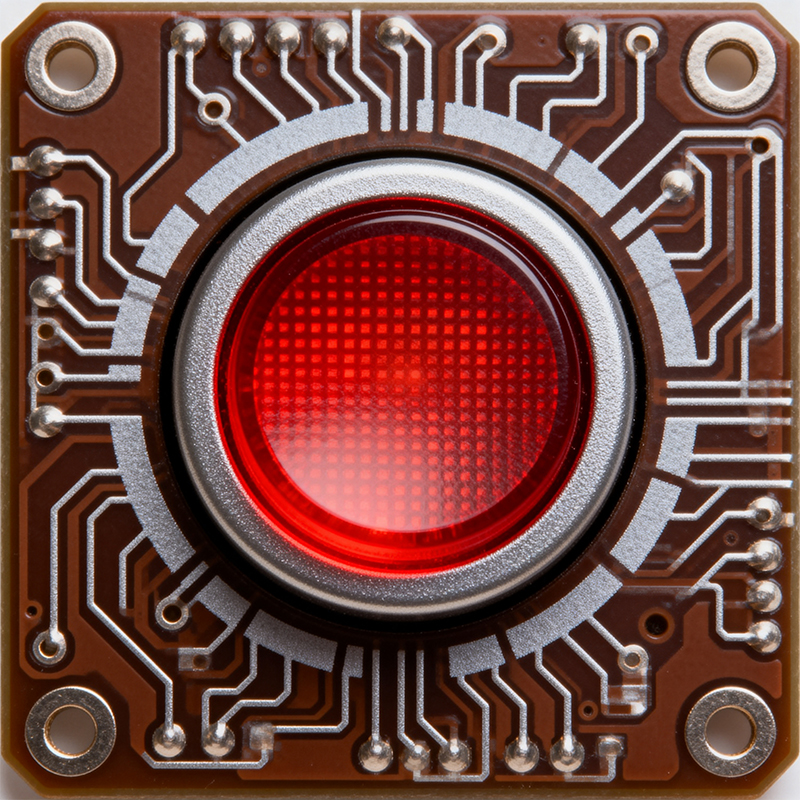
Choosing the part is half the battle. Integrating it seamlessly is where projects often stumble.
The "Feel" is a System: The tactile sensation doesn't come from the switch alone. It's a combination of the switch's internal mechanism, the stiffness/thickness of your front overlay, and the design of the button cap. Always test a physical sample in a mock-up of your final product.
Anti-Ghosting & Debouncing: For keyboards or multi-button panels, your PCB layout and firmware need to handle multiple simultaneous presses (anti-ghosting) and filter out electrical noise from the mechanical contact (debouncing). This is a circuit design and software task, not just a component choice.
ESD and Sealing: Buttons are entry points for electrostatic discharge and environmental contaminants. Consider adding ESD protection diodes on the PCB traces leading to the button. For seals, you might need a silicone boot between the button and the housing.
This is where working with an experienced PCBA partner pays off. At Kaboer, we assemble boards with all kinds of interfaces every day. We see the common pitfalls.
When you're sourcing a button for pcb, we can offer practical feedback during the design review:
"We've used that SMD switch before. Its recommended stencil aperture is smaller than the pad. If we follow the standard, you might get a weak joint. Let's adjust the paste mask."
"Your housing cutout dimension leaves only a 0.2mm gap around this button. That's very tight for molding tolerances and might cause sticking. Can we increase it to 0.5mm?"
"For this through-hole button, the pin length is short. Our wave soldering process needs a specific clearance. We should verify the stand-off height."
This kind of insight comes from assembling thousands of boards, not just reading a spec sheet. It helps you lock down the design before you order 10,000 units of a button that’s hard to assemble.
Selecting the perfect button for your pcb is a small but critical piece of product design. It sits at the intersection of electrical engineering, mechanical design, and user experience.
The best approach is to think holistically: prototype early with real components, involve your manufacturing partner in the design phase, and never underestimate the importance of how a simple button feels to the end user. That tactile feedback is often their most direct physical connection to the technology you've built.

Kaboer manufacturing PCBs since 2009. Professional technology and high-precision Printed Circuit Boards involved in Medical, IOT, UAV, Aviation, Automotive, Aerospace, Industrial Control, Artificial Intelligence, Consumer Electronics etc..


 English



 Wechat
 +86 13670210335
 +86 13670210335
 E-mail