
Date: 2026-03-26
You've finished your PCB layout. The traces are routed, the components are placed, and everything looks perfect on screen. You export your Gerber files, send them off to the manufacturer, and wait.
Then the email comes: "There's a problem with your files."
Sound familiar? If you've been in electronics long enough, it probably does. The culprit is almost never your design—it's how the Gerber files were generated. And that's where Gerber tools come in.
Let's talk about what Gerber tools actually do, why they matter, and how to use them so your boards come back right the first time.
Gerber tools are software applications that help you create, view, and validate Gerber files—the industry-standard format for PCB manufacturing. Think of them as the bridge between your PCB design software and the factory floor.
Your design tool (Altium, KiCad, Eagle, etc.) generates the Gerber files. But the files that come out aren't always ready for production. They might have issues that your design software didn't catch. A Gerber tool is what lets you see exactly what the factory will see—and fix problems before they cost you time and money.
The most common Gerber tools fall into a few categories:
Viewers: Let you look at your Gerber files layer by layer, checking for errors, missing features, or misalignment.
Editors: Let you modify Gerber files directly—useful for last-minute fixes or merging designs.
Validators: Check your files against manufacturing rules, flagging potential issues like trace widths that are too thin or spacing violations.
CAM processors: The heavy hitters. These tools prepare your Gerber files for the factory, optimizing panelization, adding tooling holes, and generating the data the fab needs.
You might be thinking: doesn't my PCB software already generate Gerber files? It does. But here's the catch: what you see on your screen isn't always what the factory gets.
Common problems that slip through:
Missing layers. You meant to include the board outline. You didn't. Now the fab has to guess where your board ends.
Unit mismatches. You designed in millimeters but exported in inches. The board comes back the wrong size.
Layer misalignment. The top copper and bottom copper don't line up correctly. Pads are offset, vias miss their targets.
Silkscreen over pads. Text overlapping pads that need to be soldered. The fab has to remove it or risk bad solder joints.
Incomplete board outline. A tiny gap in the outline layer makes the whole shape undefined.
Wrong file format. Old RS-274D format without the aperture files. The fab can't read it.
A good Gerber tool catches all of these before you hit send. It shows you exactly what the manufacturer will see, layer by layer, so you can verify that everything is correct.
These are the essentials. A Gerber viewer lets you open your exported files and look at each layer individually. You can check alignment between layers, verify that your board outline is closed, and see if silkscreen overlaps pads.
Free options:
Gerbv: Open-source, lightweight, runs on Windows, Linux, and Mac. Does one thing well—shows you your Gerbers.
GC-Prevue: The industry standard. The free version lets you view and measure. The paid version adds editing and CAM features.
Paid options:
CAM350: Professional CAM tool with advanced viewing, editing, and DFM checking. Used by many PCB manufacturers.
ViewMate: Another solid option with measurement tools and netlist comparison.
Sometimes you need to fix something after the files are generated. Maybe you forgot a logo. Maybe a reference designator is upside down. Maybe you need to panelize multiple designs together.
Tools like CAM350, GC-Prevue (paid) , and Altium's CAM Editor let you modify Gerber files directly—adding text, moving features, or even merging designs.
These tools check your Gerber files against manufacturing rules. They flag issues like:
Traces narrower than your fab's minimum
Clearances that violate spacing rules
Annular rings too small for drilled holes
Copper too close to board edge
Some PCB manufacturers offer free online DFM checkers. You upload your Gerbers, and their system runs a quick analysis. It's like having a manufacturing engineer look over your shoulder before you order.
For serious production, you need CAM tools. These take your Gerber files and prepare them for the factory floor—optimizing panelization, adding tooling holes and fiducials, generating drill files, and outputting the data formats the fab's machines require.
This is what manufacturers use. If you're a designer, you might not need this level. But knowing it exists helps you understand what happens after you send your files.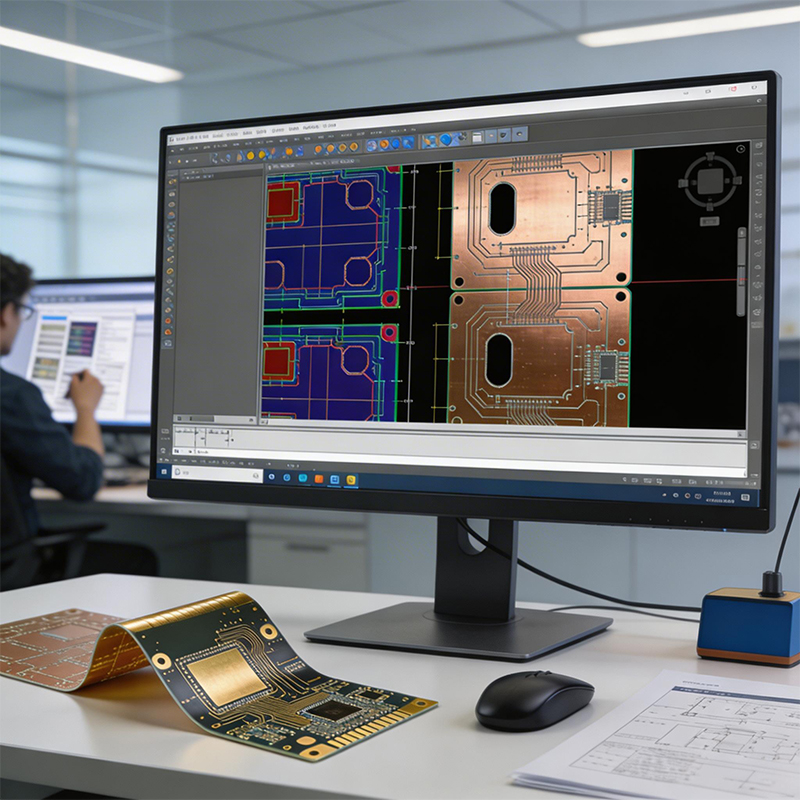
Here's a workflow that catches most problems:
1. Generate Gerbers from your PCB tool. Use RS-274X format (Gerber X2). It's self-contained—no separate aperture files to lose.
2. Open them in a Gerber viewer. Look at each layer. Verify that:
The board outline is closed (no gaps)
All layers line up (top copper aligns with bottom copper, solder mask openings match pads)
Silkscreen isn't covering pads
Drill hits are where they should be
3. Run a DFM check. If your manufacturer offers an online DFM tool, use it. Upload your files and see what flags come up.
4. Check your drill file. Make sure the drill file is in the right units (inches or mm) and that the tool sizes match what you designed.
5. Verify your netlist. Some advanced tools can compare the netlist extracted from your Gerbers to your original design netlist. If they don't match, something is wrong.
6. Package everything. Include all Gerber layers, the drill file, and a fabrication drawing with notes. Zip them together. Send.
| Problem | How It Happens | How Gerber Tools Catch It |
|---|---|---|
| Missing drill file | You generated Gerbers but forgot the NC Drill file. | Viewer shows no holes. Drill file is missing. |
| Wrong units | Designed in mm, exported in inches. | Viewer's measurement tool shows dimensions off by factor of 25.4. |
| Layer misalignment | Origin points changed between layers. | Toggling layers on/off shows pads shifting. |
| Silkscreen over pads | Design rule checks didn't catch it. | Visual inspection in viewer shows text overlapping pads. |
| Incomplete outline | A tiny gap in the outline layer. | Outline doesn't close; board shape undefined. |
| Old file format | RS-274D without aperture table. | Viewer can't render the layers correctly. |
At Kaboer, we've been manufacturing custom PCBs since 2009. Based in Shenzhen with our own PCBA factory, we see Gerber files from all over the world. And before we build a single board, we run every design through a full CAM process.
Here's what happens after you send us your files:
1. We load your Gerbers into our CAM system. We check every layer, verify the netlist, and run a DFM analysis.
2. We look for potential issues. Trace widths, clearances, annular rings, copper balance, silkscreen placement—we check it all.
3. If we find problems, we flag them. Before production starts, we contact you with questions and suggestions. We don't just run your files and hope for the best.
4. We optimize for manufacturing. We panelize your boards efficiently, add tooling holes and fiducials, and generate the machine-ready data for our production lines.
5. We build your boards. Only after everything is verified do we start production.
This process is why boards from Kaboer work the first time. It's not luck—it's a system.
Gerber files are the language of PCB manufacturing. Gerber tools are how you make sure you're speaking it correctly.
Whether you're a designer sending files for the first time or a seasoned engineer who's been doing this for years, taking the extra step to validate your Gerbers saves time, money, and frustration.
If you have a design ready to go—or if you're not sure your Gerber files are right—send them over. We'll review your files, run a DFM check, and get back to you with honest feedback and a quote. We've been at this for over 15 years, and we believe the best partnerships start with straightforward conversations.
And if you're ever in Shenzhen, we'd be happy to show you around our factory and walk you through how we turn Gerber files into real boards.

Kaboer manufacturing PCBs since 2009. Professional technology and high-precision Printed Circuit Boards involved in Medical, IOT, UAV, Aviation, Automotive, Aerospace, Industrial Control, Artificial Intelligence, Consumer Electronics etc..


 English



 Wechat
 +86 13670210335
 +86 13670210335
 E-mail