
Date: 2026-02-25
Cutting a printed circuit board (PCB) sounds simple—just slice it, right? But if you've ever tried to separate a batch of boards or trim a prototype, you know it's not that easy. A bad cut can crack traces, damage components, or leave sharp edges that cause problems later.
Whether you're a hobbyist working on a one-off project or a manufacturer handling thousands of boards, knowing the right way to cut PCBs saves time, money, and headaches. In this guide, we'll walk through the most common methods—from simple hand tools to industrial machines—and help you choose the best one for your situation.
Most circuit boards are manufactured in panels. A panel might contain multiple identical boards (called "multi-panel") or several different designs grouped together to save cost. After assembly, these individual boards need to be separated. That's called depaneling.
You might also need to cut a PCB to:
Modify a design during prototyping
Remove a damaged section
Fit a board into a tight enclosure
Create a custom shape for a special application
Whatever the reason, the goal is the same: make a clean, precise cut without damaging the board or its components.
There are many ways to cut a PCB. The best choice depends on your volume, the board material, the thickness, and whether components are already mounted.
How it works: A V-shaped groove is cut into the top and bottom of the panel along the separation lines. The boards can then be snapped apart by hand or with a simple jig.
Best for: High-volume production where boards are rectangular and have straight edges.
Pros:
Fast and cheap
No tools needed for separation
Leaves a clean edge
Cons:
Only works for straight lines
Requires the groove to be designed into the panel
How it works: Instead of a continuous groove, small tabs hold the board in place. Each tab has tiny perforations (often called "mouse bites"). The boards are snapped apart by breaking these tabs.
Best for: Irregular shapes or when V-scoring isn't possible.
Pros:
Can handle complex outlines
Still relatively easy to separate
Cons:
Leaves rough edges that may need sanding
Tabs can stress the board if not designed well
How it works: Use hand tools like tin snips, a jeweler's saw, or a hobby knife to cut the board.
Best for: Low-volume prototyping, repairs, or one-off cuts.
Pros:
Low cost
No special equipment needed
Cons:
Low precision
Risk of cracking or damaging traces
Time-consuming
Dust and debris
Tip: If you must cut manually, score the board deeply along the cut line with a sharp knife, then snap it over a straight edge. This works best for thin boards (<1.6mm).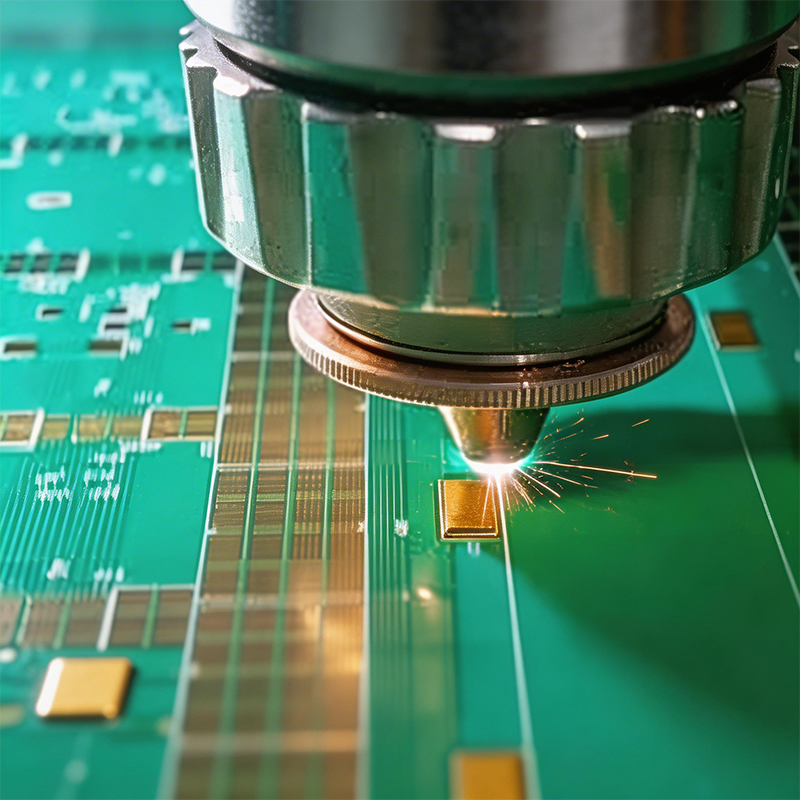
How it works: A manual or pneumatic shear cuts the board in a straight line, like a giant paper cutter.
Best for: Low-to-medium volume, straight cuts only.
Pros:
Clean, straight edges
Faster than hand tools
No dust
Cons:
Only straight cuts
Can stress the board if blades are dull
How it works: A CNC router with a small milling bit cuts the board along a programmed path. This can handle any shape.
Best for: Medium-to-high volume, complex shapes, boards with components already mounted.
Pros:
High precision
Can cut curves and intricate shapes
Clean edges
Cons:
Expensive equipment
Produces dust (requires vacuum)
Slower than stamping or shearing
How it works: A high-power laser vaporizes the PCB material along the cut line.
Best for: Very thin boards (flex PCBs, prototypes), high precision, no mechanical stress.
Pros:
No physical contact (no stress)
Extremely precise
No tool wear
Can cut very small features
Cons:
Expensive
Can burn edges (charring)
Not suitable for thick boards or metal cores
Fumes need ventilation
How it works: A custom steel rule die stamps out the board in one press.
Best for: Very high volume, consistent shapes.
Pros:
Extremely fast (seconds per panel)
Repeatable
Low cost per board at scale
Cons:
High tooling cost
Only makes sense for large production runs
Die wear over time
If components are already mounted, you must choose a method that won't damage them. Vibration, heat, or mechanical shock can crack solder joints or break sensitive parts.
Laser is safe (no contact, but heat can affect nearby components)
Routing is common if the board is well supported
Punching is risky—only suitable for robust boards
Manual snapping can work if the stress is low, but avoid for delicate boards
Some applications need smooth edges. For example, boards that slide into card guides need precise dimensions. In that case, routing or laser gives the best finish. Shearing leaves a slightly burred edge that may need deburring.
Cutting FR4 (fiberglass+epoxy) creates fine dust that's irritating to skin and lungs. Always use proper ventilation and wear a mask. CNC routers should have a vacuum attachment. Laser cutters need exhaust systems.
Cutting can generate static electricity. If your boards contain sensitive components (like CMOS chips), take ESD precautions—grounded tools, anti-static mats, etc.
| Situation | Recommended Method |
|---|---|
| I need to separate a few prototype boards | Manual scoring + snap, or shear |
| I have hundreds of rectangular boards | V-scoring or tab routing designed into panel |
| I have hundreds of irregular shapes | CNC routing |
| I have thousands of identical boards | Punching (if volume justifies die cost) |
| I'm cutting thin flex PCBs | Laser or razor knife |
| Boards already have components | Routing or laser (low stress methods) |
| I need extremely clean edges | Routing or laser |
| I have almost no budget | Hand tools (carefully!) |
Cutting PCBs is a routine but critical step in electronics manufacturing. The right method saves time, reduces waste, and ensures your boards work reliably. Whether you're prototyping in a small lab or running a production line, understanding these techniques helps you make better decisions.
If you're designing a board for volume production, talk to your manufacturer early about panelization and depaneling options. They can recommend the most cost-effective method for your specific design.
And remember: always prioritize safety. PCB dust is nasty stuff, and sharp edges can cut. Work clean, work smart.

Kaboer manufacturing PCBs since 2009. Professional technology and high-precision Printed Circuit Boards involved in Medical, IOT, UAV, Aviation, Automotive, Aerospace, Industrial Control, Artificial Intelligence, Consumer Electronics etc..


 English



 Wechat
 +86 13670210335
 +86 13670210335
 E-mail