
Date: 2026-03-13
You know that feeling. You're testing a new batch of boards, and one just doesn't work. Maybe there's no power. Maybe a signal is missing. Maybe you can actually see the damage—a burnt trace, a lifted pad, a component that cracked during assembly.
The question is: do you fix it, or do you scrap it?
I've been in this industry long enough to know that fixing a PCB board isn't always straightforward. Sometimes a simple solder touch-up does the trick. Other times, you're looking at hours of troubleshooting for a board that should have been replaced. Knowing the difference saves time, money, and a lot of frustration.
Let's walk through the most common PCB failures, how to diagnose them, and when it's worth picking up the soldering iron versus when to call it quits and start fresh.
Before you grab your tools, take a minute to assess the damage. Not every PCB failure is repairable, and some repairs create more problems than they solve.
Ask yourself:
Is the board worth the time? A simple two-layer board might be cheaper to replace. A complex 12-layer HDI board? Probably worth fixing.
Is the damage visible? Burnt areas, lifted pads, and cracked components are fixable. Delamination between layers? That's usually game over.
Do you have the right tools? Fine-pitch soldering, BGA rework, and X-ray inspection aren't standard bench equipment.
What's the risk? In critical applications (medical, aerospace, automotive), a repaired board might not meet reliability standards.
If you're unsure, it's often safer to replace. But for prototypes, low-volume runs, or expensive boards, repair can be a smart move.
What it looks like: Cracked boards, broken corners, scratches through traces, lifted pads.
What causes it: Rough handling, improper depaneling, mechanical stress during assembly, or just accidents.
Can it be fixed? Sometimes. Minor scratches can be repaired with conductive epoxy or jumper wires. Lifted pads can be glued and reconnected. But if the board is cracked through multiple layers, replacement is safer.
What it looks like: Discolored areas, charred solder mask, components that look cooked.
What causes it: Overcurrent, short circuits, or components running too hot for too long.
Can it be fixed? Burnt traces can be bypassed with jumper wires. Burnt components must be replaced. But if the board material itself is carbonized (it becomes conductive), the board is done.
What it looks like: Cold joints (dull, grainy), cracked joints (often around connectors or heavy components), or missing solder.
What causes it: Poor reflow profiles, thermal stress, mechanical strain, or just bad assembly.
Can it be fixed? Usually yes. Reflowing with flux and fresh solder often does the trick. For BGAs and QFNs, hot air rework is needed. If joints keep failing, there might be a design issue (thermal mismatch, insufficient mechanical support).
What it looks like: Unexpected connections between nets that should be isolated. Sometimes visible as solder bridges, sometimes hidden between layers.
What causes it: Solder bridges during assembly, damaged solder mask, conductive debris, or internal layer shorts from manufacturing defects.
Can it be fixed? Visible bridges are easy—just remove with solder wick or a solder sucker. Internal shorts are much harder. If you can isolate the short to a specific area, you might cut traces and add jumpers. But often, internal shorts mean a scrapped board.
What it looks like: Broken traces, cracked vias, or components that aren't connected.
What causes it: Mechanical damage, thermal stress cracking vias, or manufacturing defects.
Can it be fixed? Yes, if you can access both ends. Scrape off solder mask, solder a jumper wire, and you're done. For broken vias, you might drill and insert a wire, but it's tricky.
What it looks like: A component that doesn't work—shorted, open, or out of spec.
What causes it: Overvoltage, overcurrent, ESD, thermal stress, or just a bad part.
Can it be fixed? Replace the component. If you have the right tools (hot air, tweezers, soldering iron), it's straightforward. For BGAs, it's more complex—you need rework equipment and often X-ray to verify.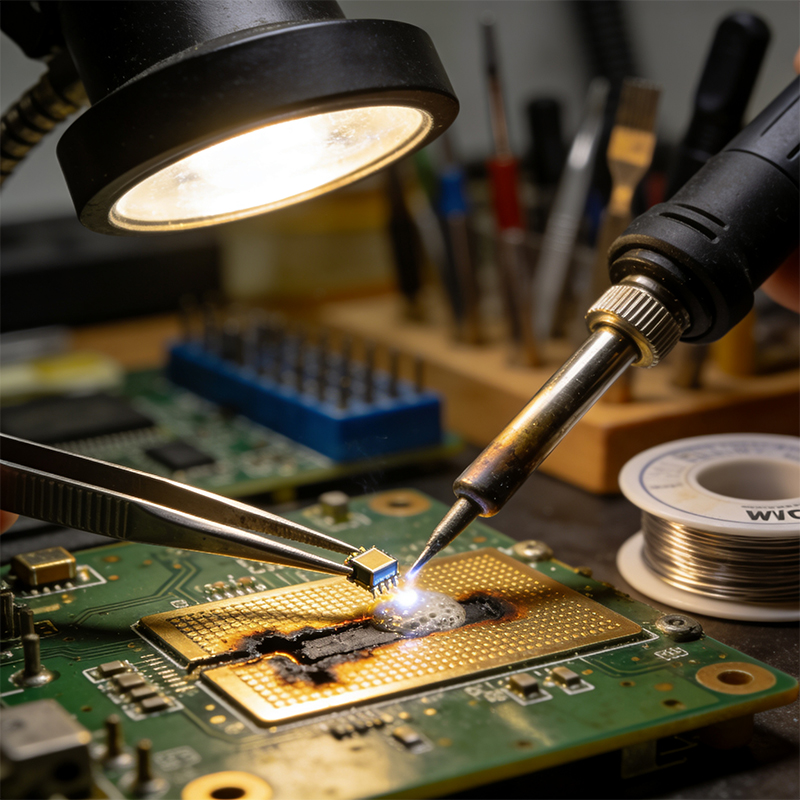
If you're going to fix boards, you need the right gear. Here's what a decent repair setup looks like:
Essential:
Temperature-controlled soldering iron with fine tips
Hot air rework station (for QFNs, BGAs, and multi-pin parts)
Flux (liquid or gel) – don't even think about skipping this
Solder wire (0.3mm to 0.5mm for fine work, thicker for power)
Solder wick (for removing bridges and excess solder)
Tweezers (fine-tipped, anti-static)
Magnification (microscope or at least a good magnifying lamp)
Multimeter (for checking continuity and shorts)
Isopropyl alcohol and brushes for cleaning
Nice to have:
Preheater (to reduce thermal stress during rework)
Microscope (for fine-pitch work)
X-ray inspection (if you work with BGAs regularly)
Thermal camera (for finding shorts that heat up)
Solder paste (for placing new components)
Every repair is different, but here's a general approach that works for most situations:
Don't just guess. Use your multimeter:
Check for shorts between power and ground
Verify that power rails are present
Trace signals from input to output
Look for components that are hot (thermal camera helps) or obviously damaged
If you have schematics, use them. If not, you might need to reverse-engineer parts of the board.
Clean the board around the repair area. Remove any conformal coating, solder mask, or debris. Apply flux—it makes everything better.
For through-hole parts, heat the pins and pull gently. For SMDs, use hot air or a specialized tip. Work carefully—lifted pads are a pain to fix.
Remove old solder with wick. Clean with alcohol. Inspect pads for damage. If pads are lifted, you may need to scrape solder mask and solder to the trace directly, or add a jumper wire.
For SMDs, apply fresh solder paste or tin the pads, place the component with tweezers, and reflow with hot air or iron. For through-hole, insert and solder from the back.
Check visually for bridges, cold joints, or misalignment. Use a multimeter to verify connections. Power up carefully and test functionality.
I've made these mistakes. I've seen others make them. Learn from us.
Too much heat lifts pads, damages components, and weakens solder joints. Use the lowest temperature that works. Preheat the board if you're working on large ground planes.
Fix: Use a temperature-controlled iron. For heavy boards, use a preheater.
Flux cleans surfaces and helps solder flow. Without it, you'll get cold joints and frustration.
Fix: Always use flux. It's cheap. Buy it in bulk.
Big blobs of solder hide bridges and make inspection impossible.
Fix: Use just enough to form a good fillet. Wick away excess if needed.
Flux residue attracts dirt and can become conductive over time. Old solder has oxidized junk in it.
Fix: Clean with alcohol after soldering. Use fresh solder.
Static can kill sensitive components without any visible damage.
Fix: Use grounded tools, an ESD mat, and a wrist strap when working on sensitive boards.
You fixed one problem, but maybe you created another. Or maybe the root cause is still there.
Fix: Test thoroughly after every repair. Check shorts first, then power up and verify function.
Sometimes the smartest move is to replace, not repair. Here's when to call it:
Cost exceeds replacement. If your time is worth $100/hour and a new board costs $50, just replace it.
Reliability is critical. Repaired boards may not meet the same standards as new ones. For medical, aerospace, or automotive safety, don't risk it.
Damage is too extensive. Burnt through multiple layers? Delamination? Multiple lifted pads? Scrap it.
You don't have the right tools. Attempting BGA rework with a soldering iron will end badly.
No schematics. If you're flying blind, repairs are guesswork at best.
Here's a reality check: if you're fixing boards often, maybe the problem isn't the repair—it's the original manufacturing.
Poor quality boards fail more. Bad soldering causes intermittent issues. Components that aren't properly specified overheat and die.
At Kaboer, we've seen this cycle too many times. Manufacturers who cut corners create products that keep failing. And every failure costs you time, money, and reputation.
That's why we focus on getting it right the first time. Since 2009, we've been providing custom flexible PCBs, rigid-flex boards, HDI high-frequency boards, and PCBA one-stop services from our Shenzhen factory.
What that means for you:
Boards that work—batch after batch, year after year
Components that are properly specified and sourced
Assembly that meets IPC Class 2 or Class 3 standards
Fast prototyping to catch issues before production
A partner who actually cares about your product's success
And if you ever do need to fix a board? We can help with that too. Our engineers know these boards inside out.
Whether you need new boards built right the first time, or you're dealing with a tricky repair, having the right partner makes all the difference.
If you need custom PCB/PCBA manufacturing, or just want to talk through a repair challenge, send us your requirements. We'll provide a free quote and technical guidance within 2 hours.
And if you're ever in Shenzhen, come visit our factory. See how we build boards that don't need fixing in the first place.

Kaboer manufacturing PCBs since 2009. Professional technology and high-precision Printed Circuit Boards involved in Medical, IOT, UAV, Aviation, Automotive, Aerospace, Industrial Control, Artificial Intelligence, Consumer Electronics etc..


 English



 Wechat
 +86 13670210335
 +86 13670210335
 E-mail