
Date: 2026-02-25
Have you ever stared at a circuit board covered in hundreds of tiny components and wondered how anyone knows what goes where? That's where the concept of a PCB locator comes in. It's not one single tool, but rather a collection of methods and technologies that help answer a simple question: "Where is this thing supposed to go?"
If you're building electronic devices, you need to locate components during assembly, find test points during debugging, and identify faults when something breaks. Different situations call for different locators. Let's walk through them.
The term gets thrown around in different contexts. Sometimes it's software. Sometimes it's a physical fixture. Sometimes it's a test instrument. Here's the breakdown:
Assembly Locators: Help place components in the right spots during manufacturing
Test Locators: Find specific points on a board for probing and measurement
Fault Locators: Pinpoint where a short circuit or open circuit is hiding
Reference Locators: Physical marks or identifiers that guide human operators
Think of it like finding an address in a city. You might use a GPS (software), look for street signs (visual markers), or ask someone who knows the area (experienced technician). All valid approaches, all serving the same basic need.
The Pick-and-Place Connection
On a modern SMT line, the assembly machine needs to know exactly where each component goes. This information comes from two files:
The BOM tells you what components to use
The XY coordinate file tells you where they go on the board
The challenge? These files come from different places and often don't match perfectly. That's where data locator tools step in. They merge the two files, check for mismatches, and generate a program the machine can understand.
Think of it as creating a detailed map for the assembly robot. Without this step, components end up in wrong places—or the machine just stops working.
Fiducial Marks: The Board's Own Landmarks
Look closely at any circuit board meant for automated assembly. You'll notice small copper circles, usually at the corners. These are fiducial marks.
The assembly machine's camera spots these marks before placing any components. It measures their exact position and compares it to where they should be. If the board shifted slightly on the conveyor, the machine adjusts all component positions accordingly.
It's like using known reference points to orient yourself on a map. Without fiducials, even the best placement program would put components in the wrong spots.
Physical Locators for Manual Work
For hand assembly or rework, you need something simpler. Sometimes it's just the silkscreen printing on the board—those white outlines showing where components belong. Experienced assemblers read these like a map.
For more complex manual work, mechanical fixtures hold boards in place. Precision pins insert into tooling holes, edge clamps grip the board, and support posts prevent flexing. These physical locators ensure every board sits exactly where it should.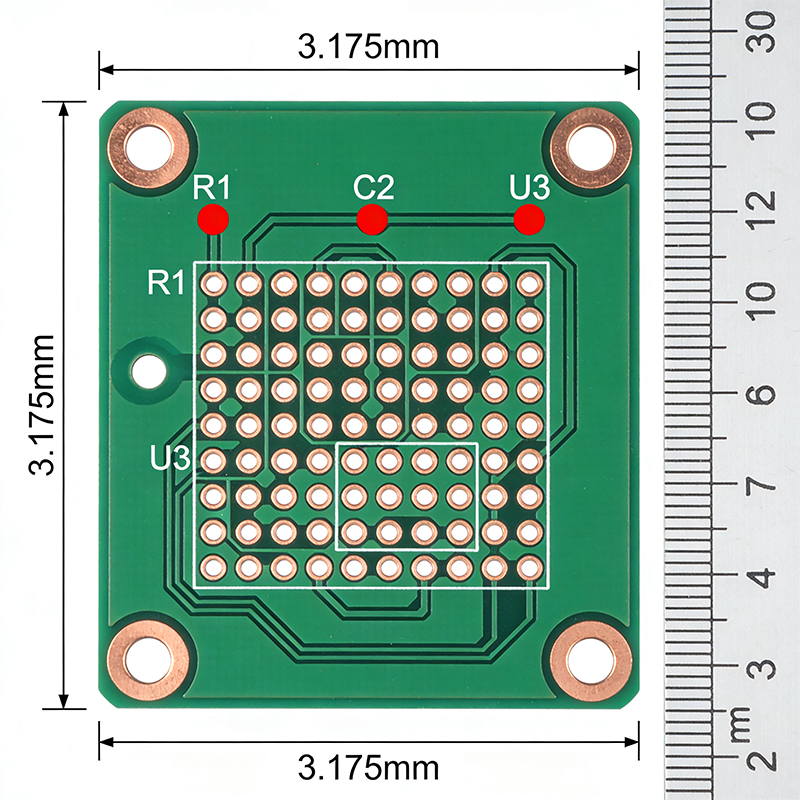
Once boards are assembled, they need testing. But on a dense modern board, test points can be smaller than a pinhead. How do you find them?
Flying Probe Testers
These machines use movable test probes that locate specific points on the board. They're programmed with XY coordinates from the design files. The probes move to each point, make contact, and measure electrical properties.
Think of it as a robotic technician that knows exactly where to touch. No human hands needed, no squinting at tiny test pads.
Guided Probes for Troubleshooting
When a board fails test and needs manual troubleshooting, guided probe systems help technicians find their way. A computer screen shows the board layout and highlights which net to check next. Some systems even use audio cues—a rising tone as you approach the right point, falling as you move away.
This turns fault-finding from a treasure hunt into a guided walk.
The Short Circuit Hunt
Imagine a power-to-ground short on a multi-layer board. You can't see it. You can't reach it. But you need to find it.
Fault locators solve this problem. They inject a current into the shorted net, then use a sensitive probe to follow the magnetic field. As you move the probe along the board, the signal gets stronger as you approach the short. Some models show arrows pointing which way to go.
It's like following a metal detector to buried treasure—except the treasure is a defect you need to fix.
Thermal Locators
Some faults get hot when powered. Thermal imaging cameras can spot these hot spots instantly. Point the camera at the board, apply power, and watch for bright spots indicating excessive current draw.
This works beautifully for shorts, leaky components, and failing parts. It's fast, non-contact, and shows you exactly where to look.
Time-Domain Reflectometry
For opens in long traces or cables, TDR sends a pulse down the line and measures reflections. The time between sending the pulse and receiving the reflection tells you how far away the break is.
Think of it like radar for circuit boards. You can locate a fault within inches, sometimes less, without ever touching the board.
Sometimes you need the person holding the board to find something quickly. That's where physical markers come in.
ID Markers
Colored adhesive dots placed near specific components help operators spot them instantly. These are common in low-volume production and repair shops where speed matters but automation isn't practical.
The bright colors stand out even in poor lighting. The markers are permanent, so they last the life of the product. For boards that need repeated manual work, these simple locators save hours.
Test Point Indicators
Some designs include physical features that guide probes. Raised test points, colored rings around vias, or even small LEDs that light up when you find the right spot. These are especially common in educational boards and field-serviceable equipment.
For a manufacturer, the question isn't "should I use locators?" but "which locators make sense for my process?"
High-volume SMT needs fiducials and software locators for automated placement
Low-volume assembly might rely on silkscreen and mechanical fixtures
Test and repair requires fault locators and guided probe systems
Field service benefits from physical markers and accessible test points
The right mix depends on your volume, your products, and your team's skills.
As boards get denser and components get smaller, locating things gets harder. Technology is evolving to keep up.
AI-Assisted Visual Recognition
Cameras paired with machine learning can now recognize components by their appearance, not just their coordinates. This helps when design data is missing or when reverse-engineering old boards.
Augmented Reality Overlays
Imagine wearing glasses that show component outlines and reference designators right on top of the physical board. AR systems for electronics are emerging, guiding assemblers and technicians with virtual labels.
Embedded Identification
Future boards might include tiny RFID tags or even visible codes printed directly on the copper. Scan the board, and your system knows exactly what you're looking at and where everything should be.
PCB locators come in many forms, but they all serve the same purpose: helping you find your way around a circuit board. Whether you're placing components, testing connections, or fixing faults, having the right locator saves time, reduces errors, and makes the whole process smoother.
For a manufacturer, understanding these tools isn't optional—it's how you ensure quality, speed, and reliability in everything you build.

Kaboer manufacturing PCBs since 2009. Professional technology and high-precision Printed Circuit Boards involved in Medical, IOT, UAV, Aviation, Automotive, Aerospace, Industrial Control, Artificial Intelligence, Consumer Electronics etc..


 English



 Wechat
 +86 13670210335
 +86 13670210335
 E-mail