
Date: 2026-03-27
If you've ever soldered a component onto a standard FR-4 circuit board, you know the drill. Heat the pad, feed the solder, and it flows. Simple.
Now try that on an aluminum board. The solder won't flow. It balls up. You crank up the heat. Still won't flow. You hold the iron longer. Now the pad is lifting, or the board is scorched.
That's because aluminum solder isn't like regular solder. Or more accurately, soldering on aluminum-based PCBs isn't like soldering on standard boards. The rules change. And if you're working with LED lighting, power electronics, or anything that needs to dissipate heat, you need to understand why.
Let's talk about what aluminum PCBs are, why they're so hard to solder, and how to get it right.
An aluminum PCB (also called a metal-core PCB or MCPCB) is a circuit board with a metal base—usually aluminum—instead of the standard FR-4 fiberglass. It's built in layers:
Copper circuit layer: Where the traces go. Same as any PCB.
Dielectric layer: A thin, thermally conductive but electrically insulating layer. This is the critical part—it lets heat flow through but stops electricity.
Aluminum base: The thick metal bottom that acts as a heatsink.
The whole point of an aluminum PCB is to move heat. LEDs generate a lot of heat. Power transistors generate a lot of heat. Put them on a standard FR-4 board, and that heat stays there, cooking the components. Put them on an aluminum board, and the heat spreads through the aluminum base and dissipates.
That's why you see aluminum PCBs in LED lighting, automotive electronics, and power supplies. They keep things cool.
Here's the catch: that dielectric layer that's so good at conducting heat is also really good at conducting heat away from where you're trying to solder.
On a standard FR-4 board, when you touch your soldering iron to a pad, most of the heat stays in that pad and the trace. The board itself is an insulator, so the heat doesn't go far.
On an aluminum board, as soon as you touch the iron to the pad, the heat shoots straight down through the dielectric and spreads across the entire aluminum base. The aluminum acts like a giant heatsink, pulling heat away from the pad faster than your iron can put it in.
This means:
You need more heat to get the pad up to soldering temperature.
You need to work faster before the heat dissipates.
You risk overheating components while waiting for the pad to get hot.
You risk damaging the board if you crank the temperature too high.
Soldering aluminum PCBs isn't impossible. You just need the right setup.
A powerful soldering iron. A standard 25W iron won't cut it. You need something with enough thermal mass and power to dump heat faster than the board can pull it away. A 60W to 80W temperature-controlled station is a good starting point. For large boards or thick aluminum bases, you might need more.
A large tip. A fine conical tip loses heat too fast. Use a chisel tip or a hoof tip—something with enough surface area to transfer heat quickly. The bigger the contact area, the faster the pad heats up.
Preheating the board. Sometimes the best strategy is to cheat. If you preheat the entire board to 80-100°C, the aluminum base is already warm, so it doesn't pull as much heat away from the pad. A hot plate, a preheater, or even a controlled oven can make soldering much easier.
The right solder. Standard lead-free solder works, but you need to be fast. Some manufacturers make specialized solders with lower melting points specifically for aluminum boards. These can help if you're struggling.
Flux. Use it. Generously. The pads on aluminum boards are often treated with a surface finish that can oxidize quickly under heat. Extra flux helps the solder wet properly.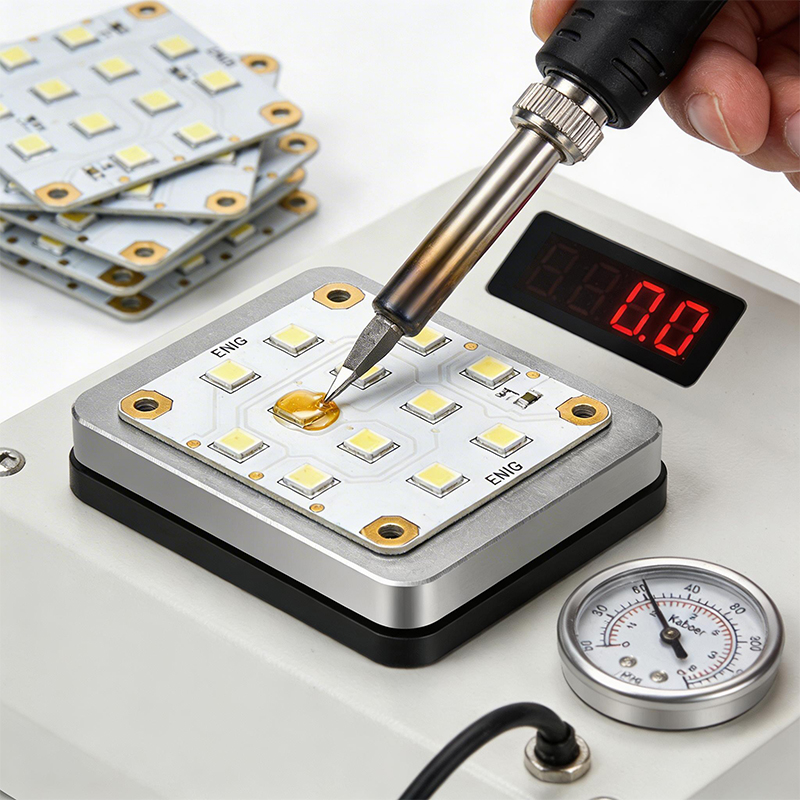
If you're doing it by hand, here's a process that works:
1. Preheat the board. If you have a preheater or hot plate, get the board up to 80-100°C. This is the single biggest improvement you can make.
2. Clean the pads. Even new boards can have oxidation. A quick wipe with isopropyl alcohol helps.
3. Apply flux. Don't be shy. Flux is your friend here.
4. Tin your iron. Put a small blob of solder on the tip. This helps transfer heat to the pad.
5. Heat the pad. Place the iron on the pad and the component lead simultaneously. Wait for the solder to flow. It might take a few seconds longer than on a standard board.
6. Feed solder. Once the pad is hot enough, feed solder into the joint. It should flow quickly.
7. Remove heat. As soon as the joint is formed, get the iron off. Prolonged heat can damage the dielectric layer or lift the pad.
If you're doing this in production, you're not hand-soldering. You're using a reflow oven. The process is the same as for standard boards, but the reflow profile needs to account for the thermal mass of the aluminum base. Your reflow oven needs enough zones to bring the whole board up to temperature evenly.
The solder balls up instead of flowing onto the pad.
Cause: The pad isn't hot enough, or the surface is oxidized.
Fix: Preheat the board. Use more flux. Make sure your iron is hot enough (but not too hot—350-380°C is a good range for lead-free on aluminum). If the pad is heavily oxidized, you might need to clean it with a fiberglass pen before soldering.
The copper pad separates from the dielectric layer.
Cause: Too much heat for too long. The adhesive under the pad breaks down.
Fix: Work faster. Preheat the board so you need less iron time. Use a larger tip so heat transfers faster. If you're reworking, consider using a lower-temperature solder alloy designed for rework.
Tiny balls of solder scattered around the pad.
Cause: Too much solder, or the flux "popped" as it outgassed.
Fix: Use less solder. Make sure the board is clean. If you're using a reflow oven, check your profile—too rapid heating can cause spattering.
Dull, grainy solder joints that look like they didn't melt properly.
Cause: Not enough heat. The pad never reached the right temperature.
Fix: Preheat the board. Use a more powerful iron. Make sure your tip is clean and tinned.
Here's the honest truth: if you're making a handful of prototypes, hand-soldering aluminum boards is doable. But if you're making hundreds or thousands, you don't want to be doing this by hand.
Professional SMT lines are set up for aluminum boards. They have:
Reflow ovens with enough zones to handle the thermal mass of aluminum bases.
Proper stencil design to ensure the right amount of paste.
Controlled profiles that ramp up and down at the right rates.
Automated inspection to catch defects.
At Kaboer, we've been manufacturing aluminum PCBs since 2009. Based in Shenzhen with our own PCBA factory, we handle the full range—from simple single-layer aluminum boards to complex designs with thick copper and fine-pitch components.
What we offer:
Aluminum PCBs with thermal conductivity matched to your power needs
Thick copper options for high-current LED applications
SMT assembly with reflow profiles optimized for aluminum
Fast prototyping so you can validate your design quickly
One-stop service from fabrication to assembly
If you're working on an LED lighting or power electronics project that needs aluminum PCBs, send us your requirements or Gerber files. We'll review your design, give you honest feedback, and get back to you with a quote. We've been at this for over 15 years, and we believe the best partnerships start with straightforward conversations.
And if you're ever in Shenzhen, we'd be happy to show you around our factory and walk you through how we build boards that handle the heat.

Kaboer manufacturing PCBs since 2009. Professional technology and high-precision Printed Circuit Boards involved in Medical, IOT, UAV, Aviation, Automotive, Aerospace, Industrial Control, Artificial Intelligence, Consumer Electronics etc..


 English



 Wechat
 +86 13670210335
 +86 13670210335
 E-mail