
Date: 2026-02-26
You've designed your circuit board. The components are placed, the traces are routed, and everything looks perfect on screen. But when the boards come back from the fab, you notice something troubling—the text is blurry, some letters are missing, and a few reference designators are completely illegible.
What went wrong? Most likely, you didn't pay enough attention to silkscreen sizes.
The silkscreen layer—those white (or sometimes yellow or black) letters and symbols on top of your PCB—is more than just decoration. It's the user manual for assembly technicians, the roadmap for troubleshooting, and often a requirement for regulatory compliance . Getting the sizes right ensures your board can be built correctly and maintained easily.
Let's walk through everything you need to know about PCB silkscreen dimensions, in plain language.
Think of silkscreen as the labeling system for your circuit board. It's the topmost layer of non-conductive epoxy ink that provides essential information :
Component reference designators (R1, C5, U3)
Polarity indicators (+ for diodes, dot for pin 1)
Test point labels (TP7, TP12)
Company logos and version numbers
Warning symbols (High Voltage, ESD warnings)
Regulatory markings (CE, FCC, RoHS, UL)
Without clear silkscreen, assembly becomes a guessing game. Technicians struggle to place components correctly, test engineers can't find their test points, and field service becomes a nightmare .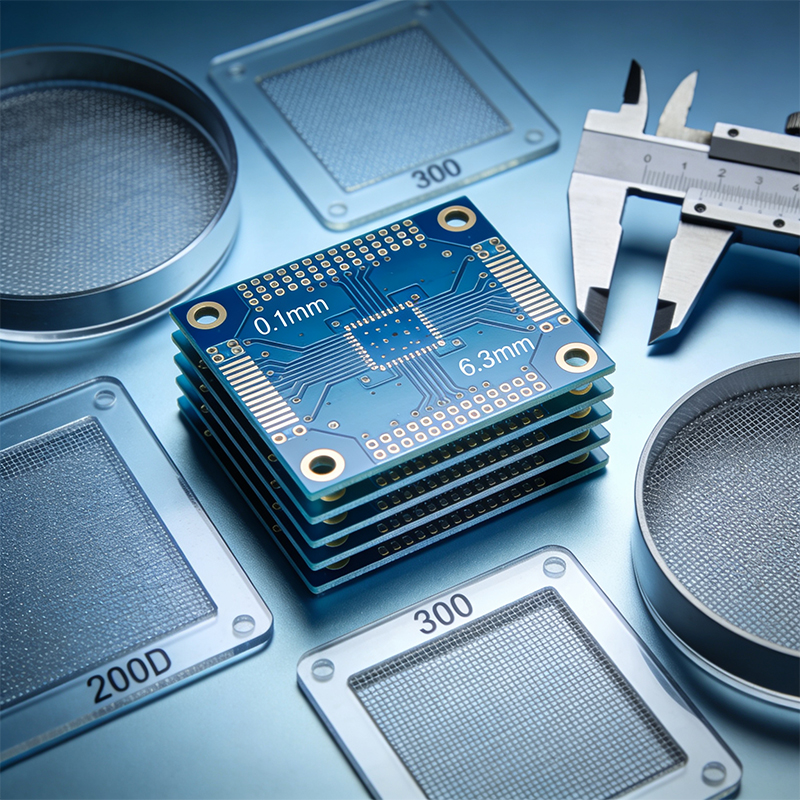
Here's the bottom line: if your text is too small, the factory can't print it clearly. If your lines are too thin, the ink will skip or break. If your letters are too close together, they'll blur into a mess.
Most PCB manufacturers follow similar rules. Here are the numbers you need to know:
For standard silkscreen printing, the industry standard is:
Character height: At least 1.0 mm (about 40 mils)
Line width: At least 0.15 mm (about 6 mils)
Aspect ratio: Width to height should ideally be 1:6
If your text falls below these numbers, the manufacturer won't adjust it—they'll just print it as-is, and you'll likely get blurry or missing characters .
If you need smaller text (maybe for a dense board or a miniaturized product), some manufacturers offer high-definition silkscreen options:
High-precision characters: Minimum height 0.8 mm, line width 0.1 mm
Direct Legend Printing (DLP) : Can achieve characters as small as 0.5 mm tall
These advanced processes cost more, but they let you pack more information into tight spaces.
If you're using hollow (outlined) fonts instead of solid ones, you need larger dimensions:
Character height: At least 1.5 mm
Line width: At least 0.2 mm
Solid fonts are almost always better for legibility.
Not every component needs the same size text. Experienced designers adjust silkscreen sizes based on the component type and board density :
| Component Type | Min Character Height | Min Line Width | Notes |
|---|---|---|---|
| Through-hole / Large IC | 1.0 mm (40 mil) | 0.15 mm (6 mil) | Easy to read, plenty of space |
| SMD (0805 and larger) | 0.8 mm (32 mil) | 0.12 mm (5 mil) | Balance of density and clarity |
| Fine pitch (0402, smaller) | 0.6 mm (24 mil) | 0.1 mm (4 mil) | Use high-precision process |
| BGA / Bottom-side | 0.5 mm (20 mil) optional | - | Often omitted, placed nearby |
The key principle: use the largest size your board can accommodate. Don't squeeze text down just because you can—if there's room, make it bigger.
Size isn't the only factor. Where you put your silkscreen is just as important.
Silkscreen should never overlap with solder pads. If ink gets on a pad, it can contaminate the solder joint, causing poor connections or even complete failure .
The rule: keep silkscreen at least 0.15 mm (6 mils) away from any pad .
If your design is very dense and text inevitably overlaps pads, manufacturers will automatically remove the overlapping portions. If you absolutely need text on a pad, you must specifically note it in your order and confirm with the factory .
Leave at least 0.15 mm between silkscreen lines . This prevents ink from bleeding together and keeps text readable.
After assembly, components sit above the board. If your silkscreen is directly under a component, it becomes invisible. Keep text away from component bodies so it remains visible after assembly .
The technology used to apply silkscreen determines how fine your text can be. There are three common methods :
The traditional method. Ink is pushed through a mesh stencil onto the board. It's cost-effective for high volume but limited in precision.
Minimum line width: About 0.15-0.18 mm
Best for: Standard boards, large text
A photosensitive liquid epoxy is applied and then exposed through a film. It's more precise than manual printing.
Minimum line width: Down to 0.1 mm (4 mils)
Best for: High-density boards, fine details
Inkjet printing technology applies ink directly onto the board. It's fast, flexible, and precise—but costs more.
Minimum line width: Down to 0.075 mm (3 mils)
Best for: Prototypes, ultra-fine text
When you're designing, know which method your manufacturer uses. If they only offer manual screen printing, don't expect them to print 0.1 mm lines clearly.
Even experienced designers make these errors. Here's what to watch for:
You've seen those boards where the text looks like a fuzzy line. That's what happens when you ignore minimum size rules.
Fix: Always check your manufacturer's design rules. If in doubt, make it bigger.
This happens when you move components without checking the silkscreen layer. The text stays where it was, now sitting on top of a pad.
Fix: Run a design rule check (DRC) that includes silkscreen-to-pad clearance. Most PCB software can do this automatically.
Text pointing in different directions makes assembly harder. Technicians have to rotate the board constantly to read labels.
Fix: Set a standard orientation—usually 0° (horizontal) or 90° (vertical)—and stick to it across the entire board .
You carefully placed your reference designators, then later moved a component on top of them. After assembly, the text disappears.
Fix: Do a final check with components shown as 3D models. Make sure all critical text remains visible.
That elegant script font might look great on your monitor, but it will be unreadable on the actual board.
Fix: Stick to simple, sans-serif fonts. Vector fonts (stroke fonts) work best because they maintain clean lines .
Contrast is everything. If your silkscreen doesn't contrast with the solder mask, it becomes hard to read.
Industry standards recommend :
| Solder Mask Color | Best Silkscreen Color | Minimum Contrast |
|---|---|---|
| Green | White | 80% |
| Black | Yellow | 70% |
| Blue | White | 75% |
| Red | White | 75% |
| White | Black | 80% |
White on green is the most common combination—and for good reason. It offers excellent contrast and readability.
Avoid low-contrast combinations like yellow on green or white on light blue. Your text will disappear.
Many modern PCBs include barcodes or QR codes for traceability. These need special attention :
Minimum size: 3 mm x 3 mm for QR codes
Resolution: At least 4 mils per dot
Placement: Avoid areas that will be handled or covered by components
Orientation: Keep horizontal or vertical—no angles
A well-placed QR code can store the board's entire manufacturing history, accessible with a quick scan .
On dense boards, you simply can't fit every possible marking. You have to prioritize :
Regulatory requirements first (CE, RoHS, UL)
Manufacturer identification (logo, serial number)
Assembly aids (polarity markers, pin 1 indicators)
Component designators (R1, C5, etc.)
Test points and jumpers
If space is tight, focus on what's essential for assembly and compliance. Less critical information can go in the documentation.
Good silkscreen design isn't complicated. Follow these simple rules and you'll get boards that are easy to assemble, simple to debug, and professional in appearance:
| Parameter | Minimum | Preferred |
|---|---|---|
| Character height | 1.0 mm | 1.2 mm or larger |
| Line width | 0.15 mm | 0.18-0.20 mm |
| Height:width ratio | - | 6:1 |
| Pad clearance | 0.15 mm | 0.2 mm or more |
| Text-to-text spacing | 0.15 mm | 0.2 mm |
Remember: the manufacturer wants your silkscreen to look good just as much as you do. They're not being picky with their design rules—they're telling you what works with their process.
When in doubt, make it bigger. A slightly larger character never hurt anyone. A character that's too small is useless.
And always, always check your manufacturer's specific guidelines. Every fab has slightly different capabilities, and following their rules is the surest path to a board that looks exactly the way you intended.
View KABOER's Process Capabilities

Kaboer manufacturing PCBs since 2009. Professional technology and high-precision Printed Circuit Boards involved in Medical, IOT, UAV, Aviation, Automotive, Aerospace, Industrial Control, Artificial Intelligence, Consumer Electronics etc..


 English



 Wechat
 +86 13670210335
 +86 13670210335
 E-mail