
Date: 2026-03-09
If you've ever sent a PCB design off to fabrication only to get an email back saying "there's a problem with your files," you know the feeling. That sinking realization that something got lost in translation between your design software and the factory floor.
Most of the time, the culprit is a GBR file—or rather, how it was generated.
Whether you call them Gerbers, GBR files, or just "the files you send to the fab," these little ASCII text documents are the universal language of PCB manufacturing. Get them right, and your boards come back exactly as designed. Get them wrong, and you're looking at delays, extra costs, and a whole lot of frustration.
Let's walk through what you actually need to know about GBR files—no fluff, just practical info from someone who's dealt with thousands of these files over the years.
A GBR file (short for Gerber file) is the industry-standard format used to describe every physical aspect of a printed circuit board for manufacturing . Think of it as the digital blueprint that tells fabrication machines exactly where to put copper, where to apply solder mask, where to print silkscreen, and where to drill holes .
Each GBR file represents one layer of your PCB. A simple two-layer board might generate a handful of files. A complex 12-layer HDI board could easily generate 20+ separate GBR files, each containing precise vector instructions for a specific manufacturing step.
The format has been around since the 1970s, originally developed by Gerber Systems (hence the name). Today it's maintained by Ucamco, and it's the one format that virtually every PCB fab in the world accepts .
Not all GBR files are created equal. Over the years, the format has evolved:
| Format | Description | Should You Use It? |
|---|---|---|
| RS-274D | The original format. Requires separate aperture files. | No. Outdated and error-prone . |
| RS-274X (Gerber X2) | Modern format with aperture definitions embedded in the file. | Yes. This is today's industry standard . |
| Gerber X2/X3 | Enhanced versions with metadata like layer stackup and component info. | Optional. Great for complex designs, but not yet universal . |
For 99% of projects, RS-274X is what you want. It's widely supported, self-contained, and eliminates the common problem of missing aperture files .
A complete set of GBR files for a PCB includes multiple individual files, each describing a different aspect of your board :
These define the actual conductive traces and pads. For a two-layer board, you'll have top and bottom copper files. For multilayer boards, you'll have files for each internal layer as well .
These specify where solder mask should be applied—and more importantly, where it should be opened to expose pads for soldering .
These contain the text and symbols printed on the board: component outlines, reference designators, polarity markers, logos, and test point labels .
While technically not GBR files, drill files are always submitted alongside them. They specify hole locations, sizes, and whether holes are plated or non-plated .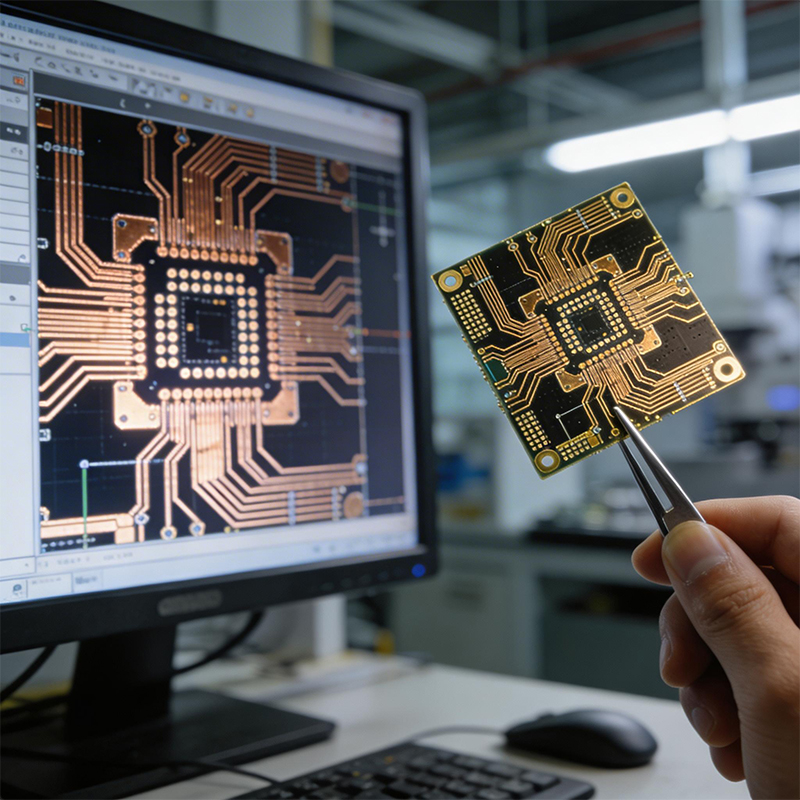
This defines the physical shape of your PCB—its edges, cutouts, and slots .
A typical file set might look something like this:
| File Name | Layer Description |
|---|---|
| Project.GTL | Top Copper |
| Project.GBL | Bottom Copper |
| Project.GTS | Top Solder Mask |
| Project.GBS | Bottom Solder Mask |
| Project.GTO | Top Silkscreen |
| Project.GBO | Bottom Silkscreen |
| Project.GML | Board Outline |
| Project.TXT | Drill File |
This is where most issues happen. Here's a quick rundown for the most common EDA tools:
Open the PCB Editor, go to File → Fabrication Outputs → Gerbers (.gbr)
Select your output folder
Choose the layers you need (F.Cu, B.Cu, F.Mask, B.Mask, F.Silkscreen, B.Silkscreen, Edge.Cuts—and inner layers if applicable)
Check "Use Protel filename extensions" (most fabs prefer this)
Click Plot
Then click Generate Drill Files (Excellon format, millimeters, absolute coordinates)
Go to File → Fabrication Outputs → Gerber Files
Set precision to 2:5
Select the layers to include (use "Used On" in Plot Layers)
Ensure aperture definitions are embedded
Generate NC Drill files separately (Excellon format)
Open the CAM Processor
Load the "gerber.cam" job file
Process the job to generate files
Pro tip: Always run a Design Rule Check (DRC) before generating Gerbers. It's amazing how many people skip this step and end up with boards that violate their own fab's minimum clearance rules .
After processing thousands of customer files over the years, here are the most frequent issues we see:
You'd be surprised how often designers send copper layers and silkscreens but completely forget the drill file. Without it, nobody knows where to drill holes .
Fix: Always generate NC Drill files alongside your Gerbers and double-check they're in the output folder.
Sometimes the top copper and bottom copper don't line up correctly. This usually happens when files are generated with different origins or units .
Fix: Always use the same origin point and coordinate system for all layers. Absolute coordinates are safer than relative.
Sending RS-274D files without the accompanying aperture files is a classic rookie mistake .
Fix: Stick with RS-274X. It's self-contained and universally accepted.
When silkscreen text or lines overlap with solder pads, it can cause soldering problems .
Fix: Most EDA tools have an option like "Subtract soldermask from silkscreen." Use it. Also, visually inspect your Gerbers before sending.
If the board outline isn't a single, continuous closed shape, the fab has to guess where your board actually ends .
Fix: Check that your Edge.Cuts layer forms a watertight outline with no gaps.
Designing in mm but generating Gerbers in inches (or vice versa) can lead to boards that come out the wrong size .
Fix: Be consistent. Know what your fab expects and stick to it.
Before you hit "upload," do yourself a favor and actually look at the files you're sending. Free Gerber viewers make this easy:
Gerbv – Open-source, runs on Windows/Linux/macOS
GC-Prevue – Industry standard, advanced measurement tools
Online viewers – Quick checks without installing anything
When reviewing, pay attention to :
Does the board outline exist and is it continuous?
Are all internal cutouts and slots showing correctly?
Do drill holes align with pads?
Are vias tented or exposed as intended?
Is silkscreen legible and not overlapping critical features?
If you spot issues, go back to your source design, fix them, and re-export. It's always cheaper to catch errors now than after your boards are already in production.
When you submit GBR files to a professional PCB manufacturer like Kaboer, they don't just blindly start production. First, your files go through a Design for Manufacturability (DFM) review .
This automated and manual check verifies that your design can actually be built with standard processes. It looks at:
Minimum trace widths and spacing
Drill-to-copper clearances
Solder mask registration
Impedance requirements (if specified)
And dozens of other parameters
If something doesn't match the fab's capabilities, you'll get a report with recommendations. This is normal. It's not a rejection—it's a quality check that saves you from getting unmanufacturable boards.
Here's the reality: clean GBR files mean faster turnaround and lower costs.
Every time your files have issues, someone has to stop and ask questions. That's time. If the issues are serious enough, you might need to regenerate and resubmit. That's more time. If the issues slip through to production, you could end up with non-functional boards. That's real money.
Taking an extra 15 minutes to validate your GBR files before sending them can save you days of delay and hundreds (or thousands) of dollars in wasted PCBs.
At Kaboer, we've been manufacturing custom PCBs since 2009. Over the years, we've processed GBR files for tens of thousands of projects—simple two-layer boards, complex HDI designs, flexible circuits, rigid-flex assemblies, and everything in between.
What makes us different:
We don't just take your files and run them. Our engineering team performs a thorough DFM review on every single project. We check for the issues listed above and more. If something doesn't look right, we flag it early and work with you on solutions—not after your boards are already in trouble.
We're equipped to handle the full spectrum:
Rigid PCBs: 1-30 layers, standard FR-4 to high-performance materials
Flexible PCBs (FPC) : 1-20 layers, 0.075mm to 0.4mm thick
Rigid-Flex Boards: 2-30 layers
HDI High-Density Boards: Microvias, fine lines down to 2mil
High-Frequency Boards: Rogers, PTFE, other low-loss materials
Full PCBA services with in-house assembly
We're certified to ISO 9001, IATF 16949, ISO 14001, UL, and RoHS . We support on-site factory visits for overseas customers. And yes—we're in Shenzhen, shipping worldwide.
Whether you're working on a simple prototype or a complex multi-layer design, getting your GBR files right is the first step toward successful PCB production.
If you have questions about your GBR files, or need custom PCB/PCBA solutions that match your design, send us your files or requirements. We'll reply with a free quote and technical feedback within 2 hours.
Better yet—come visit our Shenzhen factory. See firsthand how we turn GBR files into real, working boards.

Kaboer manufacturing PCBs since 2009. Professional technology and high-precision Printed Circuit Boards involved in Medical, IOT, UAV, Aviation, Automotive, Aerospace, Industrial Control, Artificial Intelligence, Consumer Electronics etc..


 English



 Wechat
 +86 13670210335
 +86 13670210335
 E-mail