
Date: 2026-07-23
You've probably run into this situation. You open up a device, and the battery is soldered directly to the circuit board — no plug, no connector. You want to replace it, but those solder joints look intimidating. Just heat it up with an iron? That might damage the board. Cut the wires with scissors? That could cause a short and start a fire.
Desoldering a battery from a PCB is much trickier than removing a regular component. Even with the device turned off, the battery still stores energy. A loose wire or metal tool touching the wrong spot can create a short, while too much heat can damage the battery, lift a PCB pad, or loosen a plated through-hole.
In this guide, I'll walk you through how to safely desolder a battery pack from a PCB — step by step, with everything you need to know. Plain English, no fluff.
Do these three things first, and you'll avoid 90% of the common mistakes.
First: Check the battery condition
If the battery is swollen, leaking, punctured, unusually hot, discolored, or has an odor, do not attempt to remove it yourself. A swollen lithium battery is unstable and could catch fire when heated. Take it to a professional.
Second: Take a photo and mark polarity
Before touching anything, take a clear photo showing which wire goes where — red to which pad, black to which pad. If you're unsure which side is positive, use a multimeter to check. Connecting the new battery backwards can damage the circuit or even destroy it.
Third: Disconnect all external power
Unplug the charger, USB cable, power adapter — everything. Even though the device is off, the battery still holds energy, so you need to be careful when working around the leads.
Having the right tools makes all the difference. Here's what you'll need:
Temperature-controlled soldering iron: At least 60W is recommended. Set it to around 350°C — too low and the solder won't melt, too high and you risk damaging the board or overheating the battery.
Desoldering wick (braid) : For cleaning up residual solder from pads and holes.
Solder sucker (pump) : For removing larger amounts of solder. A cheap solder sucker can damage the board's pads, so buy a decent one.
Flux: Apply a little to the joint — it helps the solder melt faster and flow more smoothly.
ESD-safe tweezers: For holding wires or leads. Don't use metal tools to poke the battery itself.
Electrical tape or heat shrink tubing: Cover bare wire ends immediately after desoldering to prevent shorts.
Follow these steps in order. Every one of them matters.
Step 1: Secure the board and battery
Clamp or stabilize the PCB so it doesn't slide around. Keep the battery outside the heating area — don't let the iron's heat reach the battery body.
Step 2: Handle the first lead — one at a time
This is the most critical rule: work on one lead at a time, and cover the other lead while you work. If both leads are exposed, a metal tool touching both at once will create a dead short.
Here's how:
Apply a little flux to the black wire (negative) solder joint.
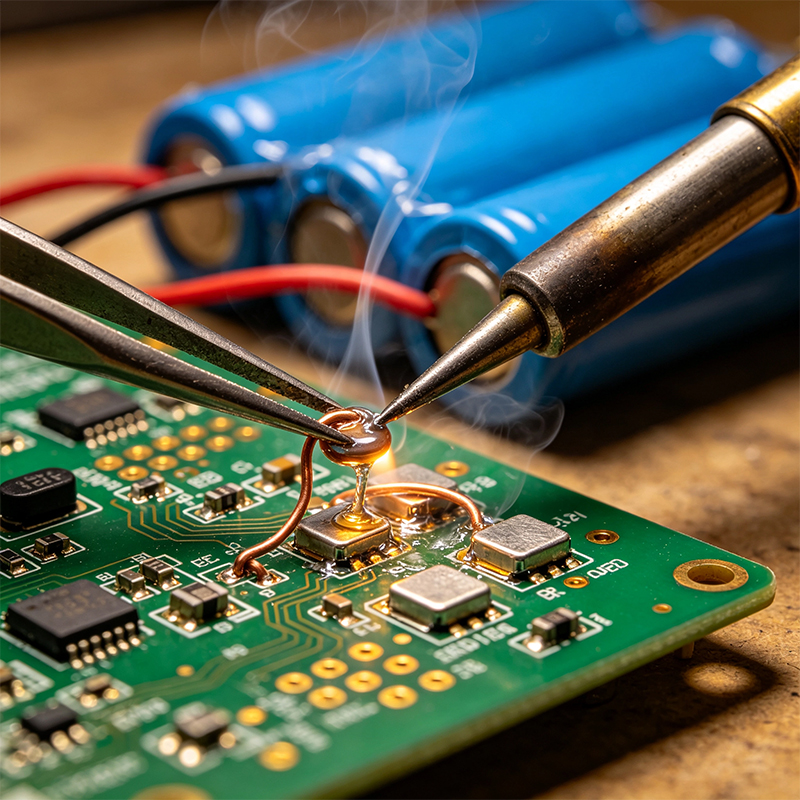
Touch the iron tip to both the pad and the wire lead simultaneously. Wait for the solder to fully melt.
Use desoldering wick or a solder sucker to remove the molten solder.
Gently pull the wire to check if it's free. Do not force it — if it resists, stop and remove more solder.
Immediately cover the exposed wire end with tape to prevent it from touching anything metal.
Step 3: Handle the second lead
Repeat the same process for the red wire (positive). Cover it with tape as soon as it's free.
Step 4: Clean the pads
After both wires are removed, use desoldering wick to clean any residual solder from the pads. This makes soldering the new battery much easier.
❌ Don't touch the soldering iron directly to the battery
Lithium battery cans are metal and conduct heat very quickly. Heating the battery body can damage the internal cells or even cause an explosion. Only heat the PCB pad and the wire terminal.
❌ Don't pry or force the lead
If the solder isn't fully melted and you pull too hard, you might rip the pad right off the PCB. If the lead won't come free, reheat the joint and remove more solder.
❌ Don't cut both wires at the same time
Cutting positive and negative wires together with a single snip is a direct short. The current will arc instantly — sparks, heat, fire risk. If you must cut, cut one wire at a time and cover it immediately before cutting the next.
❌ Don't heat a swollen battery
A swollen lithium battery already has internal pressure and gas. Heating it could cause it to burst or catch fire. Do not attempt this yourself.
Some devices have tiny solder points that are a pain to work with. There's a simpler way: cut the wires in the middle and splice in the new battery.
Here's how:
Cut the old battery wires in the middle (not at the PCB pads).
Connect the new battery's wires to the old ones using heat shrink tubing.
No soldering iron needed, no risk of damaging the PCB.
The only catch: make sure you don't reverse the polarity. Double-check which wire is positive before connecting.
Desoldering a battery from a PCB comes down to three simple rules:
Work on one lead at a time — cover it immediately after removal
Heat only the PCB pad, never the battery
Don't force a lead — if it's stuck, remove more solder
Before you start: take a photo, check the battery condition, and disconnect all power. If the battery is swollen or damaged, don't risk it — take it to a professional.

Kaboer manufacturing PCBs since 2009. Professional technology and high-precision Printed Circuit Boards involved in Medical, IOT, UAV, Aviation, Automotive, Aerospace, Industrial Control, Artificial Intelligence, Consumer Electronics etc..


 English



 Wechat
 +86 13670210335
 +86 13670210335
 E-mail