
Date: 2026-03-06
Imagine this: you're holding a finished circuit board, and with a quick scan from your phone, you can see exactly when it was made, what batch of materials went into it, which production line it came from, and even its test results. That's not some futuristic dream—that's what QR codes on PCBs do today.
A QR code on a PCB is basically a permanent identity card for that board. It stores data—sometimes just a serial number, sometimes a whole batch of production info—that can be read instantly with a scanner or even a smartphone . And in an industry where traceability is becoming non-negotiable, that little square of black and white is surprisingly powerful.
Let's talk about why you'd want QR codes on your boards, how to do it right, and what to watch out for.
Traceability. That's the big one. When every board gets a unique QR code, you can track it from raw materials all the way to the finished product . If a problem shows up in the field, you scan the code and immediately know which batch it came from, what components were used, and whether it passed testing. That kind of visibility turns a crisis into a manageable recall.
Anti-counterfeiting. Knockoff electronics are a real problem. A QR code with encrypted data makes it much harder for counterfeiters to pass off fake boards as the real thing. Customers can scan and verify authenticity right on the spot.
Process control. Inside your own factory, QR codes let you track boards through every step—lamination, drilling, plating, assembly. No more guessing where a board is in the workflow. No more manual data entry errors .
Customer convenience. Give your customers a way to pull up documentation just by scanning the board. Datasheets, application notes, even a link to reorder—it's all possible.
Marketing. QR codes can link to your website, a product video, or a case study. It's subtle, but it works.
Adding a QR code isn't complicated, but there are a few things you need to get right.
You need to decide what data goes into the code. Could be a simple serial number, a URL, or a more complex string with product details. Once you have the data, you can generate the QR code using any number of free tools or directly in your PCB design software.
Altium Designer, for example, supports QR code generation right in the PCB editor . You set the text, choose QR code as the barcode type, and place it on any layer you want. The software handles the encoding and pattern generation automatically.
Size matters. Too small, and scanners can't read it. Too big, and it wastes board space.
Most PCB manufacturers recommend a minimum size of about 5mm × 5mm for a QR code to be reliably readable . If you have space, 8mm or 10mm is even better—easier for scanners, less sensitive to printing variations.
The individual modules (the little black squares) need to be large enough to resolve. If they're too fine, the etching or printing process might blur them together.
QR codes can go on the silkscreen layer or as bare copper with soldermask openings.
Silkscreen is the most common—white ink on green soldermask gives good contrast. But if durability matters, consider having the code etched into the copper and protected by soldermask. It'll survive rougher handling and harsher environments.
QR codes need a border of empty space around them—called the quiet zone. Usually, this should be at least four modules wide. Without it, scanners get confused by neighboring features.
Make sure your code isn't too close to board edges, mounting holes, or other markings.
If you're placing the QR code yourself in the design files, make sure it's on the correct layer and clearly visible. Some fabricators also offer services to add QR codes for you—you just specify where you want them and what data should be encoded .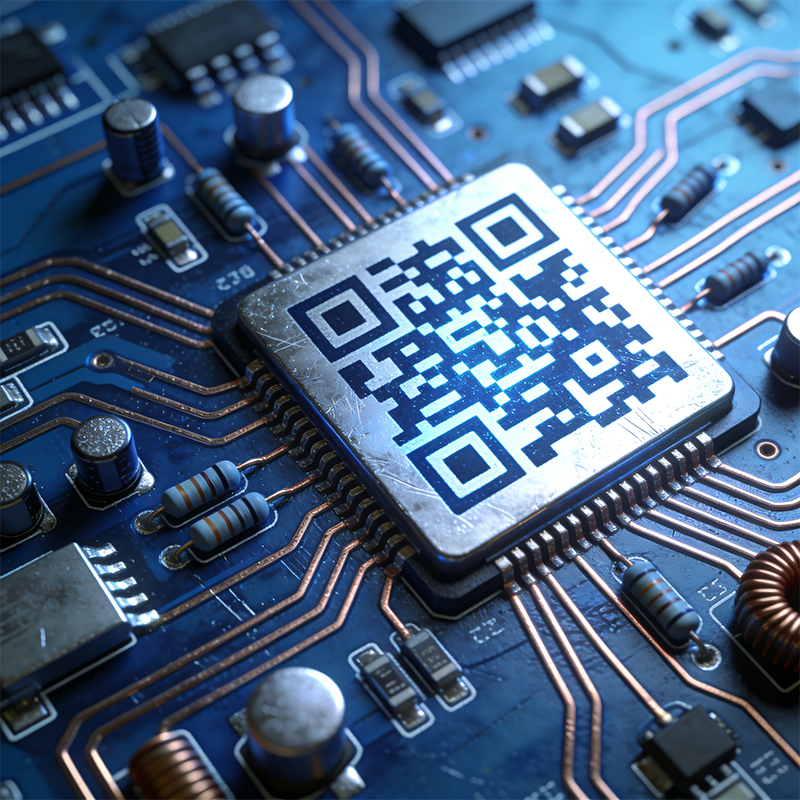
QR codes sound simple, but actually printing them on PCBs comes with a few challenges.
One common issue: QR codes printed with regular ink can get blurry or lose contrast after going through the reflow oven . The heat affects the ink, and suddenly your perfectly crisp code is unreadable.
Solution: Use durable marking methods. Laser marking is ideal—it creates a permanent, high-contrast mark that survives reflow and wave soldering . If you're using ink, make sure it's specifically designed for high-temperature processes.
PCB surfaces aren't exactly ink-friendly. Soldermask is smooth, and sometimes ink just beads up or flakes off.
Solution: High-adhesion inks or laser marking. Laser marking doesn't rely on adhesion—it changes the surface itself, creating a mark that's as permanent as the board .
In a fast-moving production line, you need scanners that can read codes reliably—even if they're small, slightly blurry, or at weird angles. Industrial code readers with AI-powered decoding can handle sub-millimeter codes and read speeds up to 1 meter per second .
With components packed tight, there's not much spare real estate. QR codes need to go where they won't interfere with assembly or get covered by parts.
Solution: Designate a clear "no-components" zone for the code. Most fabricators can help you find a good spot, or you can use their automated placement services to ensure consistency .
High-end phone boards often carry multiple QR codes—one for the bare board, another after assembly. They track everything from solder paste batches to test results .
With IATF 16949 requirements, traceability isn't optional. QR codes on automotive PCBs link to full production histories, making recalls precise and manageable .
When a machine runs for decades, you need to know what's inside. QR codes let maintenance crews scan and instantly pull up schematics, parts lists, and service records.
Even for small batches, QR codes help keep things organized. No more sticky notes or handwritten labels—scan and go.
At Kaboer, we've been building custom PCBs since 2009, and we know that traceability matters. Whether you need a single QR code for serialization or full batch tracking across thousands of boards, we've got you covered.
Our capabilities:
QR code placement on any layer—silkscreen, copper, or soldermask
Laser marking for permanent, high-contrast codes that survive reflow
Serialization and batch coding for full traceability
Integration with your PCBA process—we can read and verify codes during assembly
One partner, one standard. We handle the whole process—fabrication, assembly, and marking—so you don't have to juggle multiple vendors.
Come see for yourself. We're in Shenzhen, and we're always happy to show visitors how we build boards. Walk the floor, meet the team, and see how your QR-coded boards will come to life.
QR codes on PCBs aren't complicated. They're just smart. If you're ready to give your boards their own ID cards, let's talk.
Send us your Gerber files or requirements, and we'll get back to you with a free quote within 2 hours. Better yet—come visit our Shenzhen factory and see how we make traceability happen.

Kaboer manufacturing PCBs since 2009. Professional technology and high-precision Printed Circuit Boards involved in Medical, IOT, UAV, Aviation, Automotive, Aerospace, Industrial Control, Artificial Intelligence, Consumer Electronics etc..


 English



 Wechat
 +86 13670210335
 +86 13670210335
 E-mail