
Date: 2026-03-06
Ever touched a running electronic device and felt how hot it gets? That heat isn't just uncomfortable—it's actually trying to destroy your product.
Here's the thing about electronics: they generate heat. Sometimes a lot of heat. And if that heat doesn't have a good path to escape, components overheat, performance drops, and things start failing. Way before anything actually melts, the damage is already happening.
That's where thermal resistivity comes in. It's not the most exciting topic, but if you're building anything that handles power—LEDs, motor drives, power supplies, you name it—understanding this one concept can save you from a lot of field failures.
Let's break it down in plain language.
Thermal resistivity is basically a measure of how badly a material resists the flow of heat . Think of it as the opposite of thermal conductivity.
You know how some materials just feel cold to the touch? That's because they're good at pulling heat away from your skin—they have low thermal resistivity. Other materials, like wood or plastic, feel warm because they're not pulling heat away—they have high thermal resistivity .
In numbers, we measure thermal conductivity in watts per meter-kelvin (W/m·K) . The higher that number, the better the material conducts heat. Copper comes in around 384 W/m·K . Air? About 0.026 W/m·K . That's why we use copper to move heat and air gaps to insulate.
Thermal resistivity is just the inverse of that—how many kelvin-meter per watt (K·m/W) it takes to push heat through .
Here's where it gets practical. There's a concept called the thermal Ohm's law that makes this stuff usable .
Remember regular Ohm's law? Voltage = Current × Resistance. Well, thermal works almost exactly the same way:
Temperature difference = Heat flow × Thermal resistance
Or in symbols: ΔT = P × Rth
Where:
ΔT is the temperature difference (in °C or K)
P is the power dissipated (in watts)
Rth is the thermal resistance (in °C/W)
What this means is simple: if you know how much power your component is dissipating and the thermal resistance along the path, you can calculate how hot it'll get.
For example, if a MOSFET is dissipating 2 watts and the thermal resistance from its junction to the ambient air is 50°C/W, that junction will run 100°C above ambient . At room temperature, you're looking at 125°C—which might be fine or might be way too high, depending on the component's rating.
Heat doesn't just magically disappear. It travels. And in electronics, it travels through three mechanisms :
Conduction is heat moving through solid stuff—from the silicon die into the copper leadframe, through solder joints, into PCB traces and planes. This is usually the path we have most control over .
Convection is heat transferring to air or liquid moving across surfaces. That's why we put fans on hot stuff—moving air carries heat away faster .
Radiation is heat leaving as infrared waves. It's usually the smallest contributor in electronics, but it matters in high-temp stuff or vacuum where convection can't happen .
For a component on a PCB, the main path is usually: junction → package → solder → PCB copper → (maybe heat sink) → ambient air. Each step has its own thermal resistance, and they add up like resistors in series .
Here's where it hits home. The PCB itself is a major part of the thermal path. And different materials conduct heat very differently :
| Material | Thermal Conductivity (W/m·K) | Best For |
|---|---|---|
| Standard FR-4 | 0.2–0.5 | Low-power logic, where heat isn't an issue |
| Metal-core (aluminum) | 1.0–10.0 (through dielectric) | LED lighting, power supplies, motor drives |
| Aluminum nitride ceramic | 170–230 | High-power RF, IGBT modules, extreme reliability needs |
Standard FR-4 is basically a thermal insulator. It's great electrically but terrible thermally. If you're pushing any real power, that 0.3 W/m·K becomes a bottleneck .
Metal-core PCBs (also called IMS—Insulated Metal Substrate) replace the FR-4 core with aluminum or copper, plus a thin thermally conductive dielectric layer . Heat goes through the component, through the dielectric, and spreads into the metal base. This can drop temperatures dramatically.
Ceramic substrates take it even further. Aluminum nitride, for example, has thermal conductivity approaching aluminum (around 170-230 W/m·K) but with electrical insulation and a coefficient of thermal expansion that matches silicon . That's why you see them in high-reliability applications like IGBT modules and RF power amps.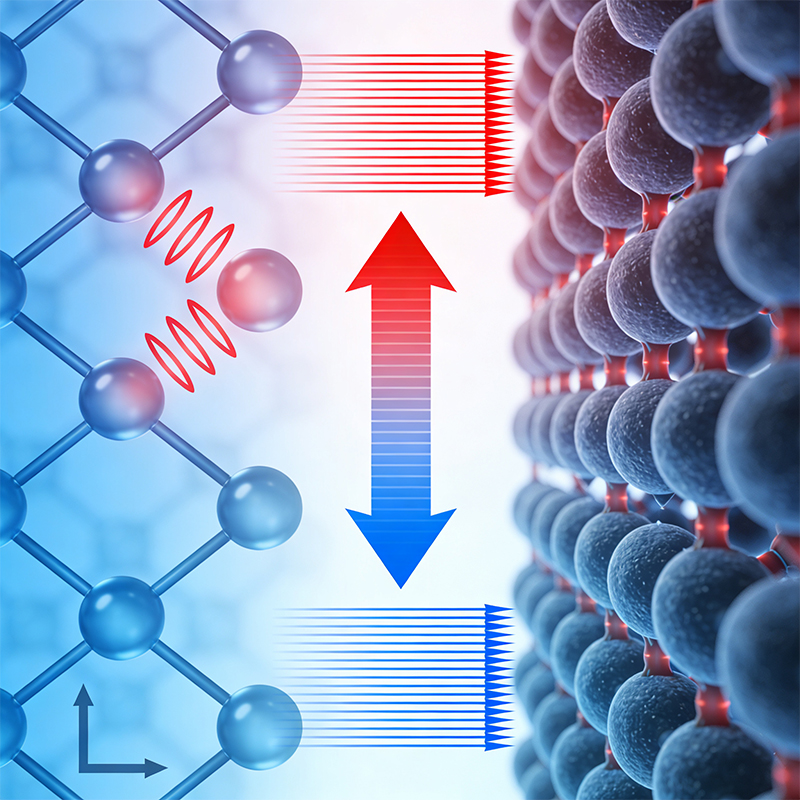
You don't have to switch to exotic materials to improve thermal performance. Here are things that actually work :
Copper planes. A solid copper plane spreads heat laterally. On a four-layer board, using copper planes on all layers can improve thermal performance by up to 30% compared to a two-layer board .
Thermal vias. Vias under hot components conduct heat down into inner layers or to the opposite side of the board. A standard 12mil via with 0.5oz plating has thermal resistance around 261°C/W. Upgrading to 1oz plating drops that to about 140°C/W. Filling them with copper can cut it in half—though that adds cost .
More copper weight. Going from 1oz to 2oz copper can boost thermal performance by about 25% . The thicker copper spreads heat better laterally.
Exposed pads. Many power components have exposed thermal pads underneath. Solder these to copper planes on the PCB—don't just route signals and call it done. That pad is there for a reason .
Heat sinks. When PCB copper isn't enough, bolt on a heat sink. The most effective spot is often on the bottom of the PCB, directly under the hot component, with thermal vias connecting through .
Airflow. Moving air dramatically improves convection. Forced airflow of 100 LFM can double the heat transfer coefficient compared to still air .
When you look at component datasheets, you'll see thermal resistance specified in different ways :
θJA (junction-to-ambient) is the total thermal resistance from the silicon die to the surrounding air. This includes everything—package, PCB, everything. It's useful for comparing packages, but the actual number depends heavily on the PCB design .
θJC (junction-to-case) is the resistance from the die to the top or bottom of the package. This matters if you're attaching a heat sink directly to the package .
θJB (junction-to-board) is the resistance from the die to the PCB, through the exposed pad or leads. This is the relevant number for heat flowing into the board .
For a typical power MOSFET in a surface-mount package, θJA might be 50-60°C/W with minimal copper, dropping to 30-40°C/W with good board layout, and down to 20°C/W or less with a heat sink and airflow.
The consequences aren't abstract. Excess heat does real damage :
Lifetime plummets. For every 10°C rise in junction temperature above rated limits, failure rates roughly double. A chip that would last 20 years at 85°C might only make it 5 years at 105°C .
Performance drops. Many components derate with temperature. MOSFETs conduct worse when hot. LEDs shift color and dim. Processors throttle back.
Catastrophic failure. Eventually, things just stop working. Solder joints crack from thermal cycling. Electrolytics dry out. Silicon breaks down.
All of this traces back to thermal resistance—how easily heat flows from where it's generated to somewhere it can be safely dumped.
Thermal resistivity isn't just a number in a datasheet. It's a design parameter that directly affects whether your product survives in the field.
For low-power stuff, standard FR-4 and basic layout are fine. But once you're pushing any real power—LED lighting, motor drives, power supplies, automotive electronics—you need to think about the thermal path. That means copper planes, thermal vias, maybe metal-core or ceramic boards, and sometimes heat sinks and airflow.
The math is simple. ΔT = P × Rth. If you know your power and your thermal resistance, you know your temperature. And if that temperature is too high, you need to lower the resistance.
That's thermal design in a nutshell.
Need help with a thermally demanding design? At Kaboer, we've been manufacturing custom PCBs since 2009—including metal-core boards, heavy copper designs, and advanced thermal management solutions. Send us your requirements, and we'll help you figure out the best way to keep your components cool. Better yet, come visit our factory in Shenzhen and see how we build boards that handle the heat.

Kaboer manufacturing PCBs since 2009. Professional technology and high-precision Printed Circuit Boards involved in Medical, IOT, UAV, Aviation, Automotive, Aerospace, Industrial Control, Artificial Intelligence, Consumer Electronics etc..


 English



 Wechat
 +86 13670210335
 +86 13670210335
 E-mail