
Date: 2026-06-18
You’ve definitely seen one before. That big green board inside your computer. The dense board inside your phone when you open it up. Even inside a child‘s toy — there’s one in there too. That‘s a PCB.
Whether you know electronics or not, if you use electronic devices, you use PCBs. In this guide, I’ll explain what a PCB is, what‘s inside it, what types exist, and how they’re made. Plain English, no fluff.
PCB stands for Printed Circuit Board. Simply put, it‘s a board that holds electronic components in place and connects them with copper pathways.
A PCB does two basic jobs:
Hold components — It securely mounts chips, resistors, capacitors, connectors, and all the other parts.
Connect components — The copper traces on the board wire everything together, letting electricity and signals flow from one part to another.
Without PCBs, you’d have to connect every component by hand with loose wires. That would be a giant mess of spaghetti wiring — huge, fragile, and likely to short out. That‘s why almost every modern electronic device — from phones and computers to refrigerators and cars — contains PCBs.
A PCB isn‘t just a simple piece of plastic. It’s a “sandwich” of several layers pressed together. From outside to inside:
Outer layer: Soldermask
This is the green (or red, blue, black) layer you see. It protects the copper from oxidation and prevents solder from going where it shouldn‘t during assembly.
Copper layer
The thin copper lines on the board are called traces. They’re the “wires” of the circuit, carrying electricity and signals.
Substrate
The board‘s “skeleton” that holds everything together. The most common substrate material is FR4 — a composite of fiberglass cloth and epoxy resin that’s strong, insulating, and flame‑retardant.
Based on layer count and structure, PCBs fall into three main categories:
1. Single‑sided
Copper on only one side. Simplest and cheapest. Used in very basic circuits like remote controls and electronic toys.
2. Double‑sided
Copper on both sides, connected by plated holes (vias). Double the routing space means more functionality. Most household appliances, power supplies, and chargers use these.
3. Multilayer
Three or more copper layers stacked together. More layers mean more complex routing and better signal quality. Computer motherboards and phone boards are typically 4‑layer, 6‑layer, or even more.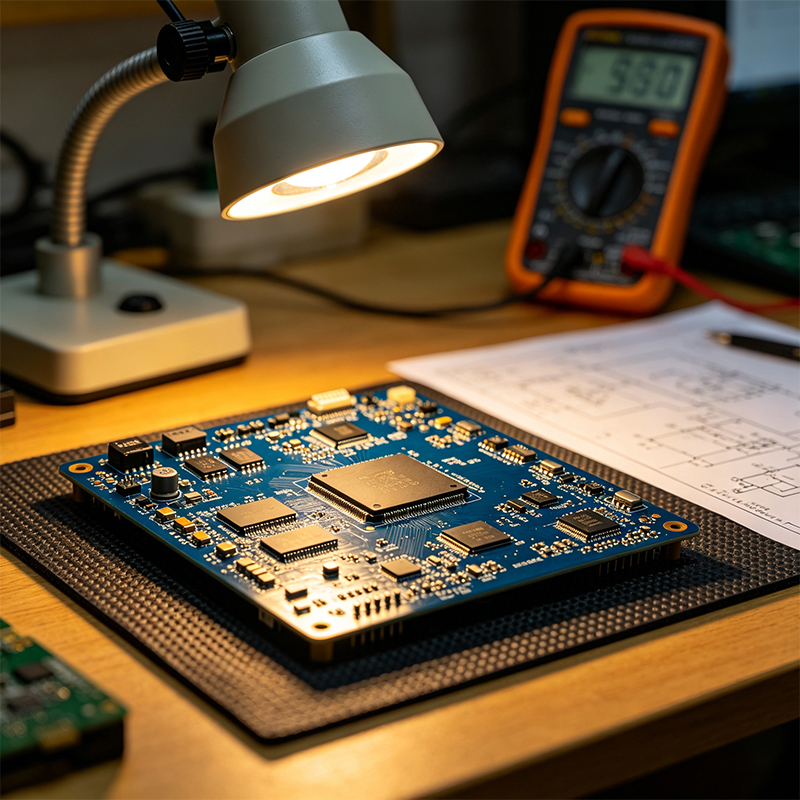
From design to finished board, the process大致 goes like this:
Step 1: Design
Engineers use software to draw the circuit diagram (schematic), then lay out the actual board (PCB Layout).
Step 2: Inner layer patterning
A photosensitive layer is applied to copper‑clad board. UV light transfers the circuit pattern, and chemicals etch away unwanted copper, leaving the traces.
Step 3: Lamination
The finished layers (copper and insulating layers) are stacked and pressed together under high heat and pressure.
Step 4: Drilling
Holes are drilled where needed, then plated with copper to connect different layers.
Step 5: Surface finish
Solder mask (the green layer) is applied, then a surface finish (ENIG, HASL, etc.) is added to the pads for solderability.
Step 6: Testing
Electrical testing checks for shorts and opens.
Traces — The thin copper lines on the board, acting as wires.
Pads — The round metal dots at the ends of traces, where component pins are soldered.
Vias — Small plated holes that connect traces between different layers.
Silkscreen — The white text and symbols (R1, C2, U3) that tell you which component goes where.
A PCB is a board that holds and connects electronic components. It‘s made of copper traces, an insulating substrate, and a soldermask layer. It comes in single‑sided, double‑sided, and multilayer varieties. Almost every electronic device depends on it.

Kaboer manufacturing PCBs since 2009. Professional technology and high-precision Printed Circuit Boards involved in Medical, IOT, UAV, Aviation, Automotive, Aerospace, Industrial Control, Artificial Intelligence, Consumer Electronics etc..


 English



 Wechat
 +86 13670210335
 +86 13670210335
 E-mail